
What is this? The YachtLINK® page shows the YachtLINK® device fitted to this boat: whether it is registered, when it last reported in, and its health.
The Basics
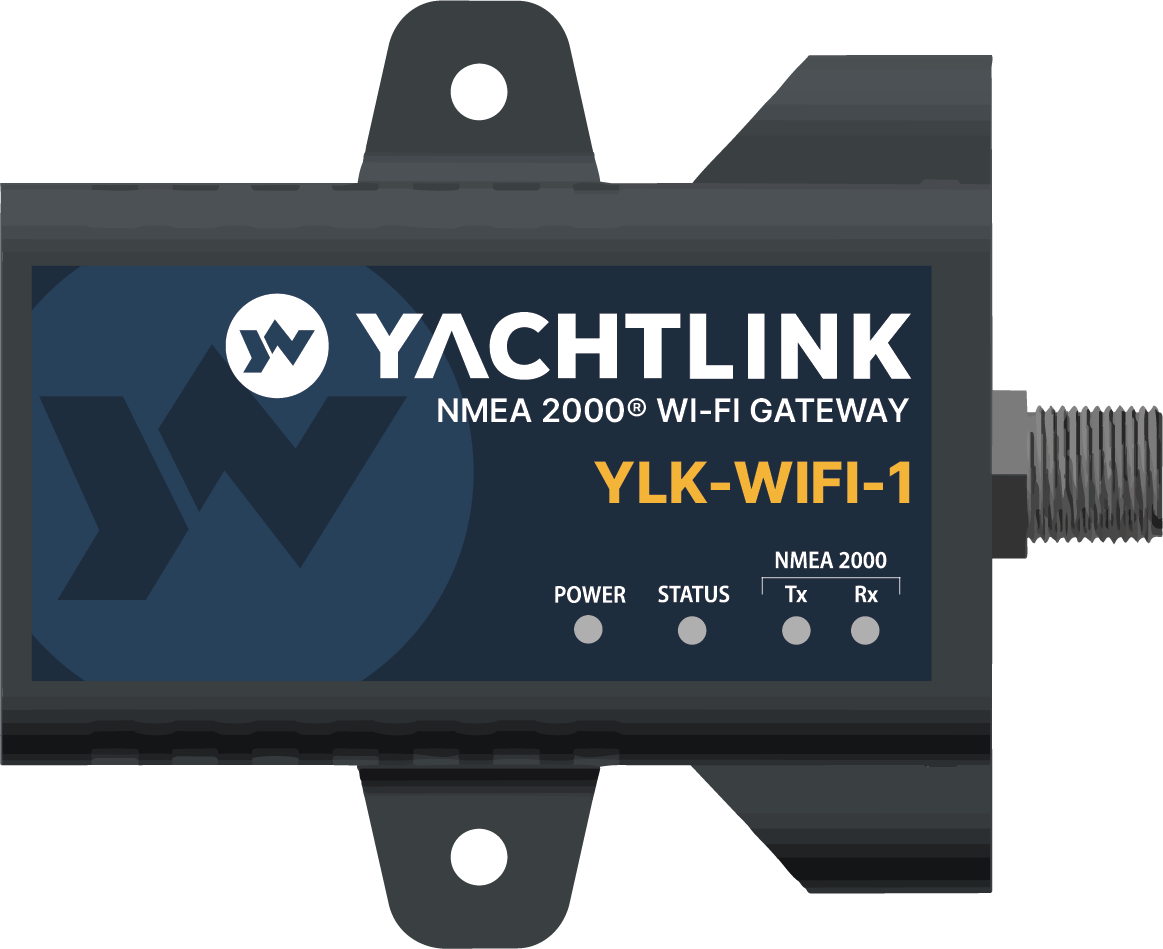
YachtLINK® (model YLK-1-WIFI) is a small NMEA 2000® marine gateway. It plugs into your boat’s NMEA 2000® network, joins a Wi-Fi network, and uploads readings such as engine hours, tank levels and position to YACHTWAVE about every five minutes while the boat has power and Wi-Fi.
What you see on this page depends on the boat:
- No device on this boat — the page describes the device, its price and what it needs, with ORDER NOW and SET UP YACHTLINK® at the bottom.
- Device set up, not yet confirmed — an orange Registration Pending banner. The device keeps trying on its own.
- Device registered — two tabs: Status (this page) and Configuration, where you tell YACHTWAVE which engine or tank each signal belongs to. See YachtLINK® Configuration.
You need an internet connection to use this page. Without one, YACHTWAVE shows a message asking you to try again once you are online.
Key Things on This Screen
- Model: YLK-1-WIFI — the band across the top of the card. Blue means the device is registered; orange means registration is pending.
- Status — Registered or Pending.
- Serial Number — matches the serial on the YachtLINK® label.
- Firmware and Settings Version — the software version on the device and the version of its settings. Useful if you contact support.
- Last Seen — when the device last uploaded. This is the best sign that the device is working. A recent time means it is reporting in.
- Wi-Fi Signal — how well the device hears its Wi-Fi network: Excellent, Good, Fair or Weak, with the strength in dBm.
- Device Temperature — the temperature of the YachtLINK® itself, not the engine room, water or air.
- Last Restart — when the device last started up.
- Registered to Boat — when the device was registered to this boat.
- Configuration tab badge — the number of signals that are not yet matched to an engine or equipment.
A dash (—) means the device has not sent that value.
How to Check the Device
- Open the YachtLINK® page.
- Tap CHECK DEVICE STATUS, or pull the page down to refresh.
- Look at Last Seen. The device uploads about every five minutes, so a time within the last few minutes means it is online.
How to Remove the Device from This Boat
- Tap REMOVE DEVICE.
- Read the message and tap Remove.
- The device is unregistered from this boat. It resets itself and reopens its setup Wi-Fi within a few minutes of its next check-in. If it does not, switch its power off and on.
To use the device again, on this boat or another, run setup from the start.
Tips
- If a boat has no device yet, ORDER NOW first asks you to confirm, because YachtLINK® needs a paid subscription in addition to the device. Continue opens the order page in your browser.
- The device needs a 2.4 GHz Wi-Fi network with internet access. Marina Wi-Fi or a mobile hotspot left on board both work.
- A device registered from another phone shows up here too. Pull the page down to refresh.
Troubleshooting
- “It says Registration Pending” — The device has not confirmed with the YachtLINK® cloud yet, usually because its Wi-Fi network has no internet access. Check the network, wait a few minutes, then tap CHECK DEVICE STATUS. If it stays pending, tap SET UP AGAIN.
- “Last Seen is hours or days ago” — The device has not uploaded. Check that the NMEA 2000® network has power (often the instruments breaker) and that the Wi-Fi network is on and has internet access.
- “SET UP YACHTLINK® says a subscription is required” — Setting up and using YachtLINK® needs a paid Plus (shown as Personal+ in the app for now) or Ultimate subscription on this boat.
- “Could not read the device status” — The status could not be read just now. Try again in a moment.
Frequently Asked
Does the YachtLINK® page update by itself?
It reads the device each time you open the page. After that, tap CHECK DEVICE STATUS or pull down to refresh.
Does the device come with a subscription?
No. YachtLINK® needs a paid Plus or Ultimate subscription. The device alone does not include one.
Why is the Wi-Fi network name not shown?
The YachtLINK® cloud does not store the network name, so the page cannot show it.
What is Device Temperature measuring?
The YachtLINK® device itself. It is not a boat, water or air temperature.
See Also
- Setting Up YachtLINK® — install the device and register it to this boat.
- YachtLINK® Configuration — match each signal to the right engine or tank.
- Readings — more about engine hours, tank levels and other readings.
- Yacht Dashboard — the tile that opens this page.