
Tasks & Work Orders
The heart of workflow management: create, assign, track, and complete every job on every vessel — with a permanent record that stays with the boat.
Work Scattered Is Work Lost
Quality Control Is the Hardest Job in Any Labor Business
For a yacht manager, running a crew is like running any labor business: the hardest part isn't doing the work — it's knowing the work got done, done right, and done on time, by a team you can't stand over. When jobs live in text threads, voicemails, and spreadsheets, instructions go missing, nothing gets triaged, and quality quietly slips until an owner notices before you do. YACHTWAVE® yacht management software replaces the scatter with a single work engine: every job created, assigned, scheduled, discussed, documented, and completed in one place — visible to the manager ashore and the crew on deck.
Create the Work Once — It Runs Itself
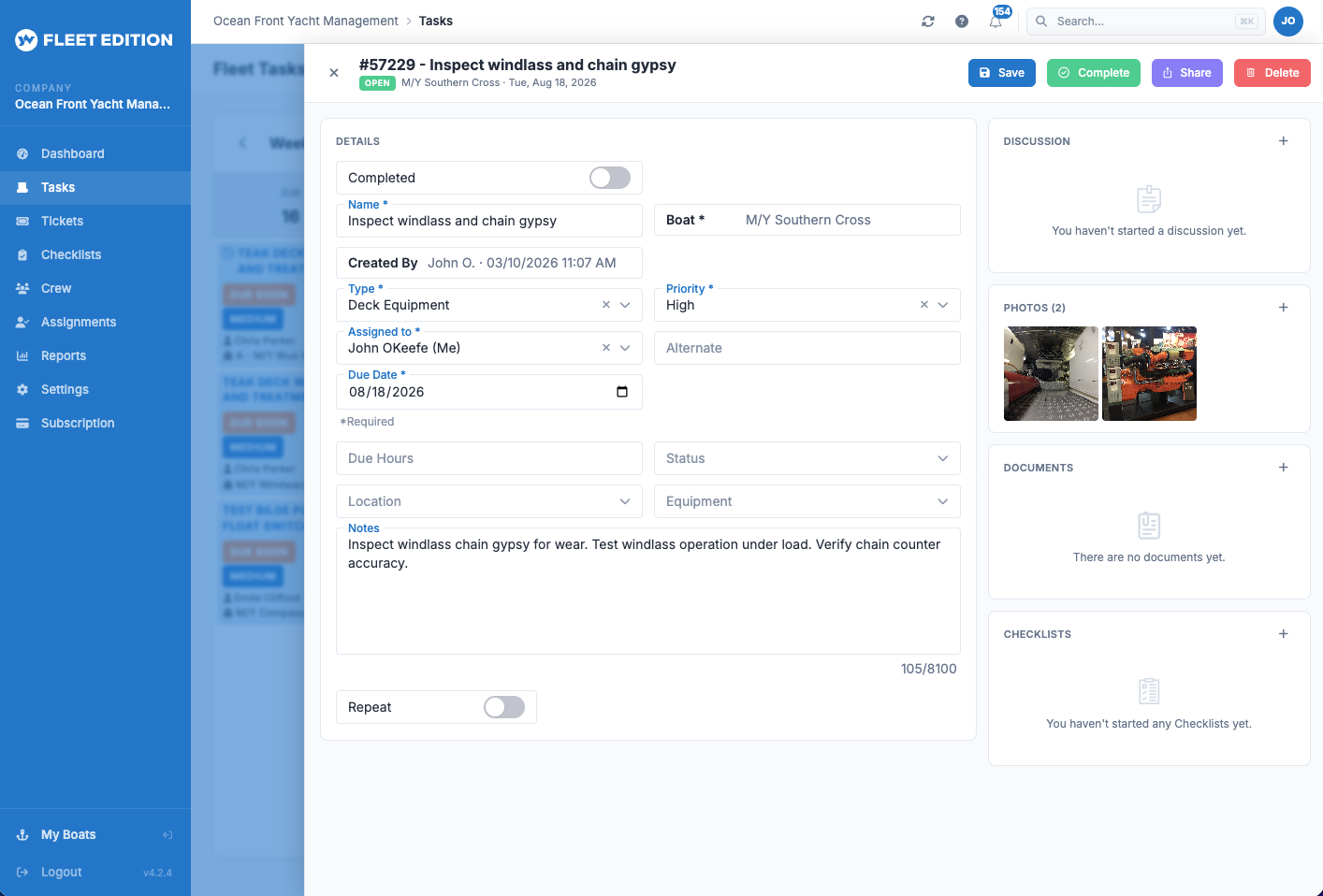
A task in YACHTWAVE is a complete work order: what needs doing, on which vessel, tied to which engine or equipment, at what priority, due when. Set it up once and the schedule takes over.
Maintenance Tasks & Work Orders
Create, assign, track, and complete work on any vessel. Every completed task becomes a permanent service record that survives crew changes and follows the boat.
Recurring Task Schedules
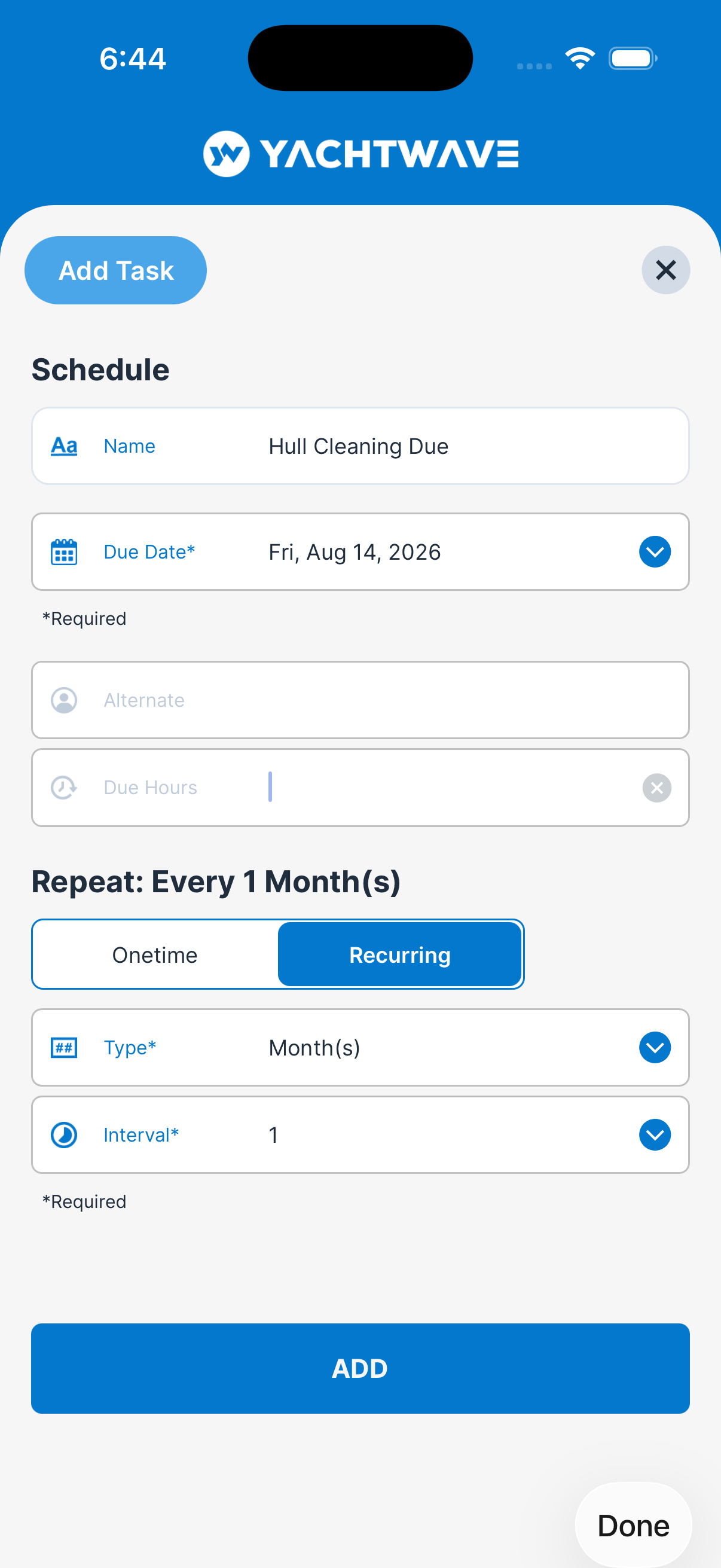
Set an oil change once — it comes back on the interval you choose, from hourly to yearly, forever. The next occurrence creates itself on completion, so the schedule never depends on anyone remembering.
Engine-Hour Due Dates
Schedule work by engine hours as well as the calendar — service comes due when the hours do, exactly how manufacturers specify it.
Assign It — and Let the App Do the Chasing
Accountability is the difference between a task list and a workflow. Everyone knows what's theirs, yacht managers see who's doing what, and the app follows up so you don't have to.
Task Assignment
Assign work to your crew members. Everyone sees their own list; managers see who's doing what across every boat.
Task Notifications
Crew are notified by text, push, and email when tasks are assigned, due, or overdue — the workflow keeps moving without anyone having to check the app.
My Tasks — Cross-Vessel Queue
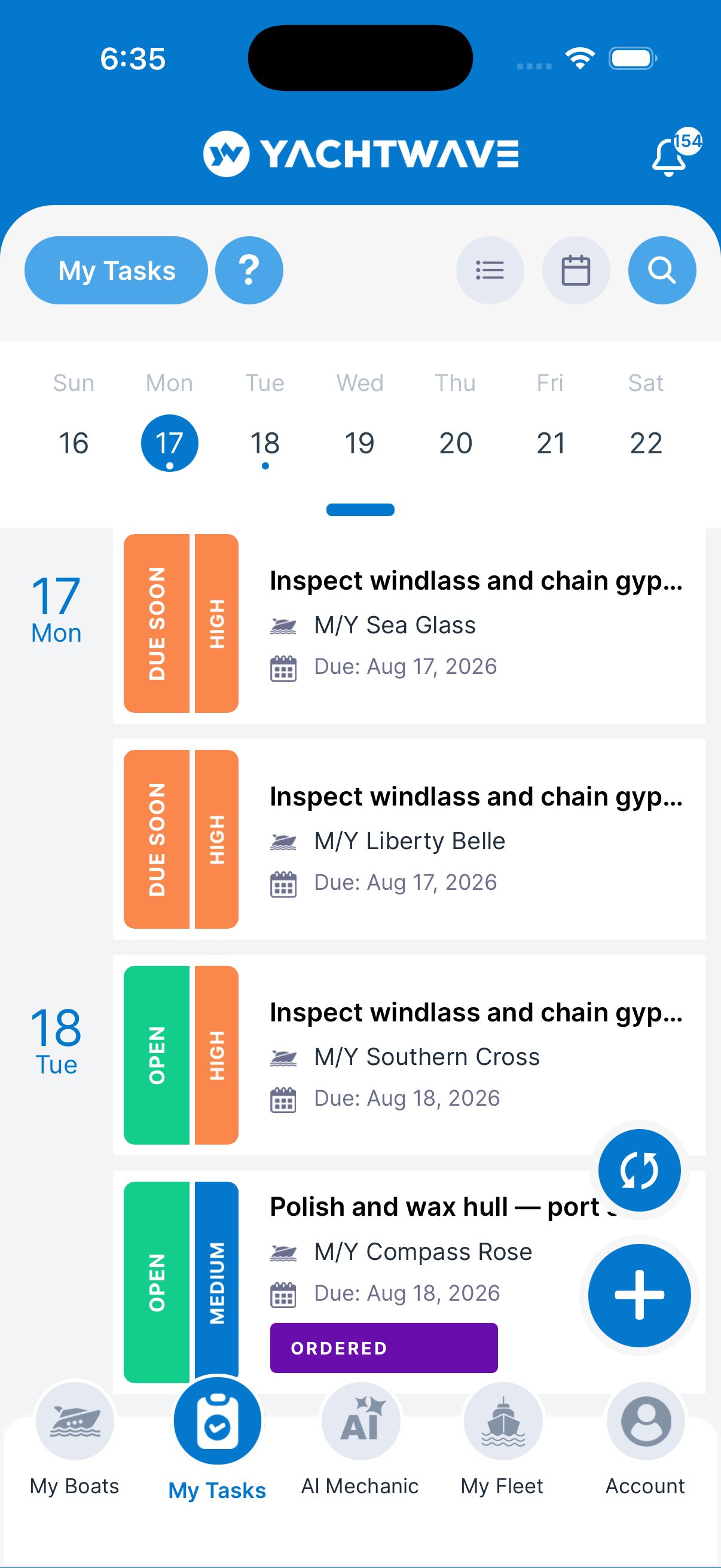
Workflow management at the deck level: crew clock in, tap My Tasks, and see their complete to-do list for the day across every boat they work on — no digging around the app to find what needs doing.
Priorities, Filters & Search
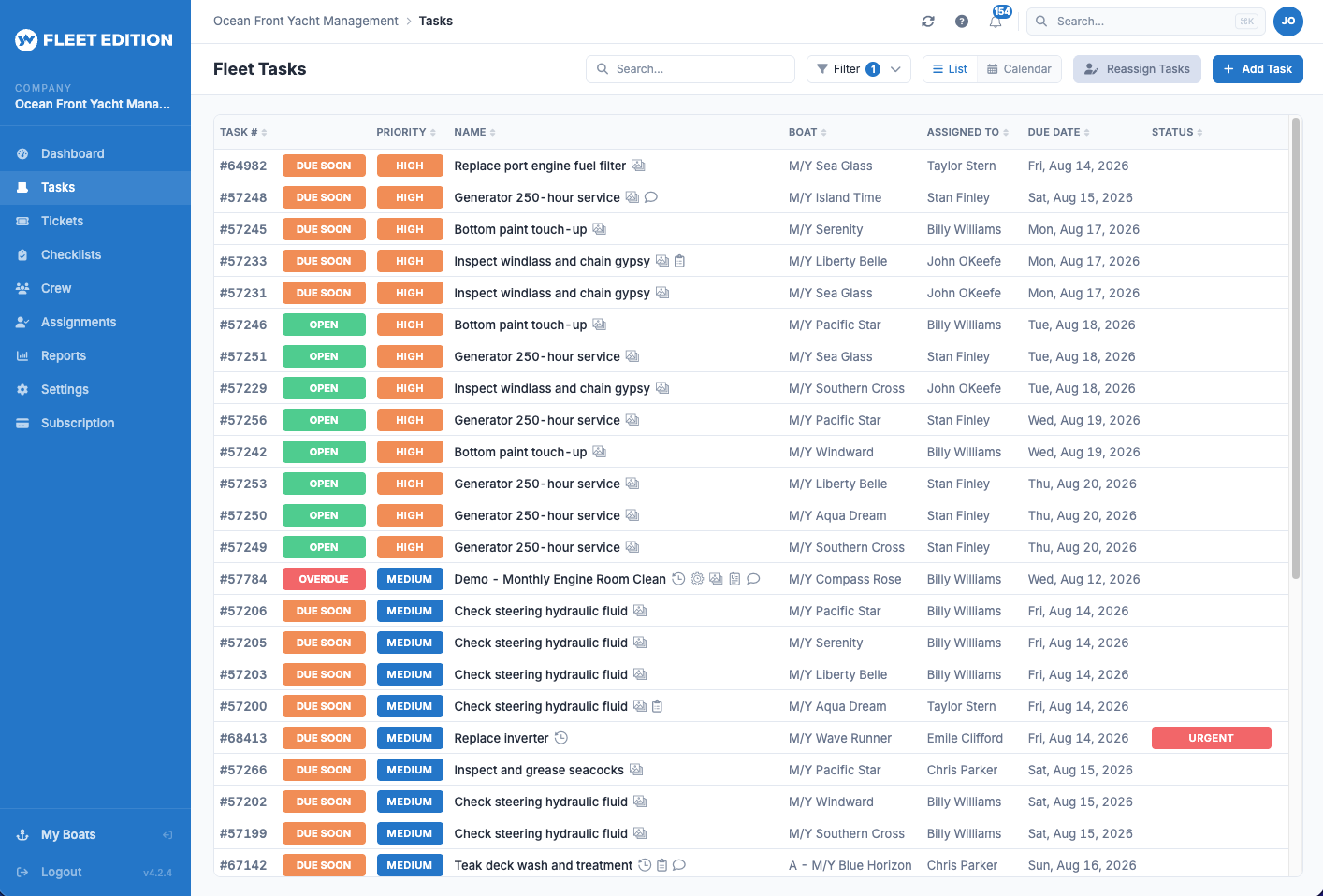
Four priority levels, overdue and due-soon filters, and search across every field — the work that matters surfaces first.
Calendar View
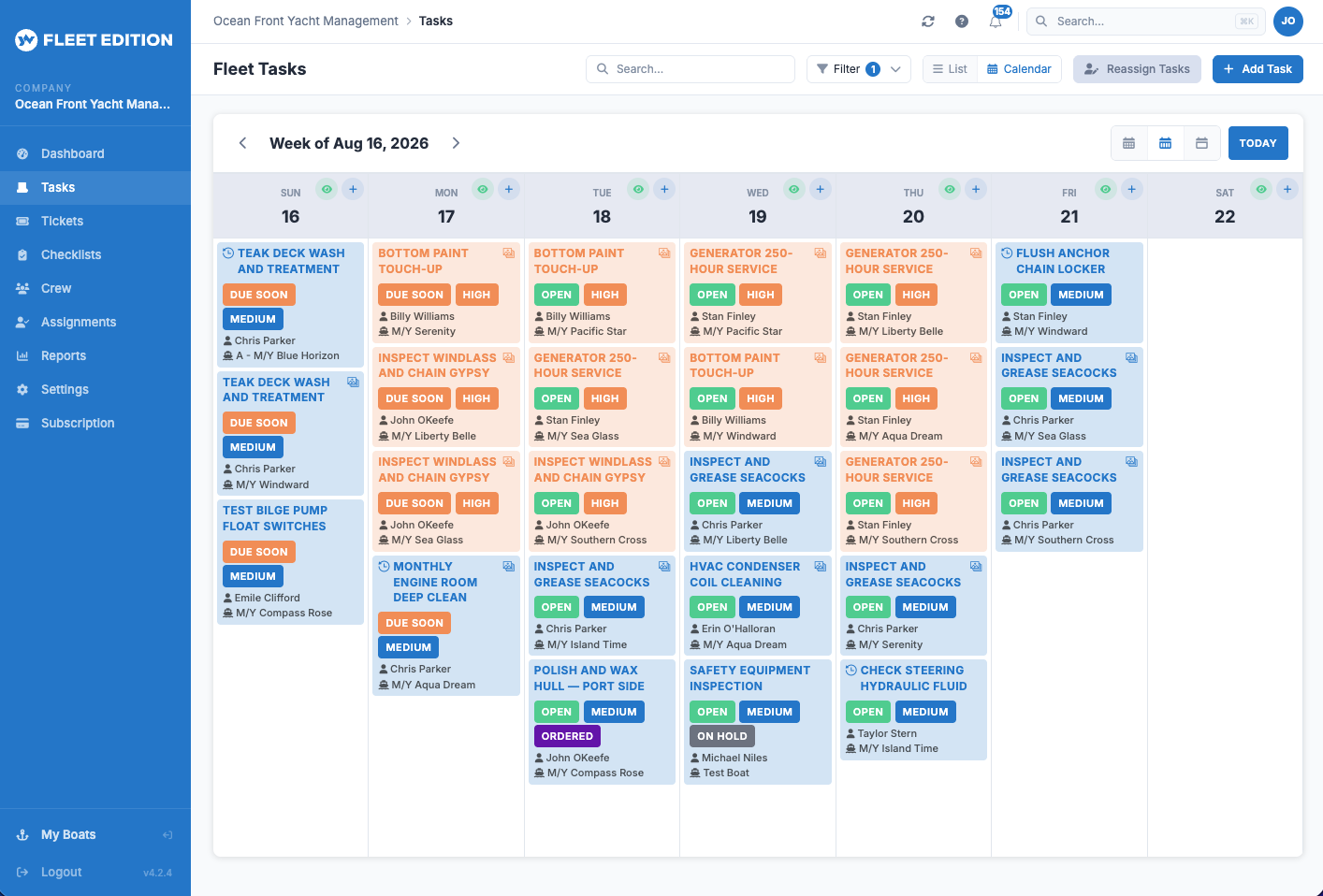
Flip any task list from list to calendar with one click — in the web app for the whole fleet, and in the mobile app for the crew on deck. Managers see the month's workload laid out across every vessel; crew see their own week the same way they'd read a schedule.
Quality You Can Enforce, Not Just Hope For
Any yacht manager can hand out jobs. The hard part is making sure every job is done to the same standard, by every crew member, every time — especially the ones hired last month. These are the controls that make quality a process instead of a personality.
Checklists Attached to Tasks Ultimate Edition
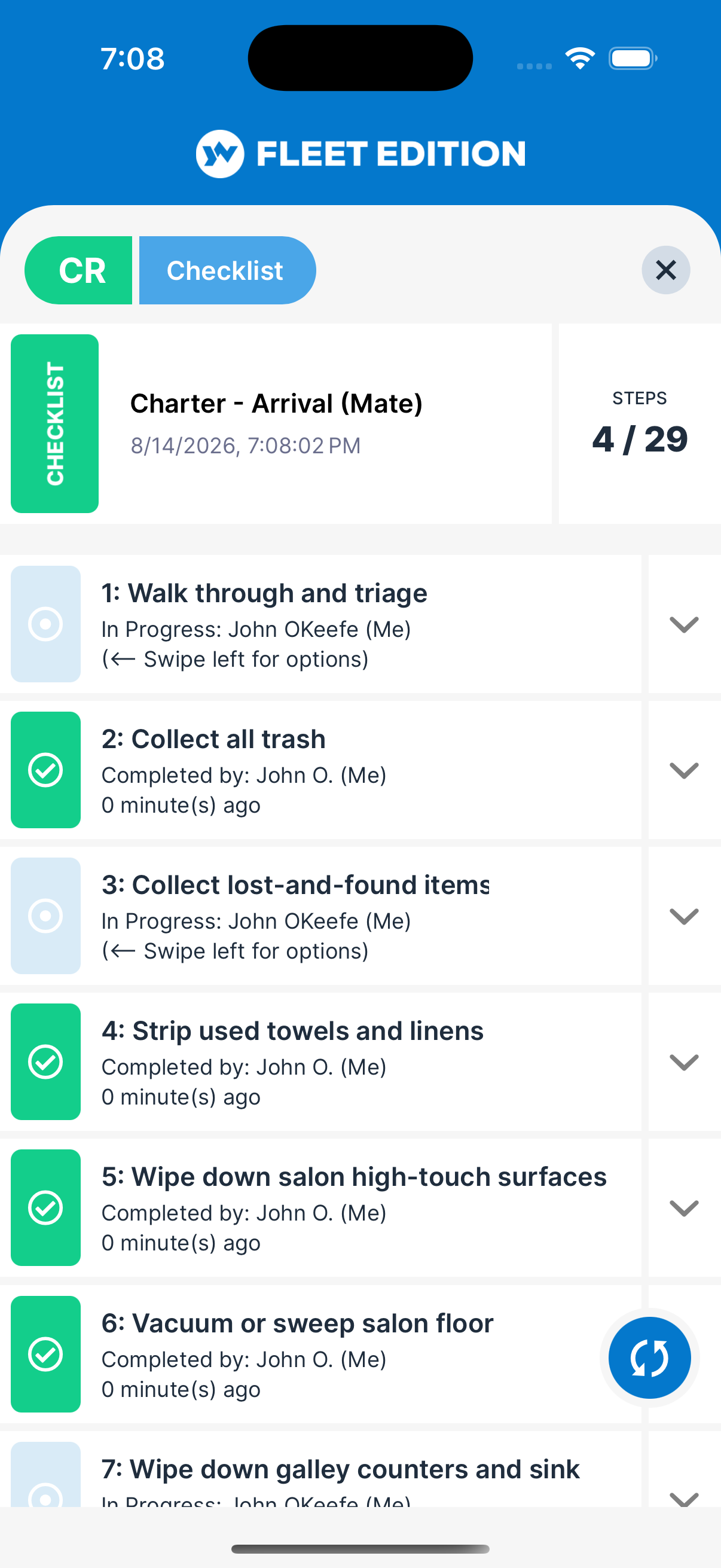
Attach a checklist to a task and the task can't be closed until every step is done — assuring compliance and quality on every job, every time. Your procedures become enforceable, not optional.
Custom Task Statuses Ultimate Edition
Add statuses like “Needs Attention” or “On Hold” so the workflow reflects how your operation actually runs — not how someone else's software thinks it should.
Photos & Documents on Tasks
Before-and-after shots, invoices, and manuals stay with the work record forever — the documentation that wins warranty claims and satisfies surveyors.
Auto-Created Maintenance Logs
Completing a task linked to an engine or equipment writes the maintenance log entry for you — the vessel's permanent service history builds itself with zero extra effort.
The Conversation Lives on the Task
Ultimate Edition
The crew group chat is where boat decisions go to die. The answer scrolls away by Thursday, whoever joins next month never sees it, and when an owner asks who approved the extra part, nobody can point to anything. A thread attached to the job is a different animal: it stays with the work it belongs to, for as long as the boat keeps its record. Task conversations are part of the advanced task workflow, available in the Ultimate Edition.
Task Comment Threads
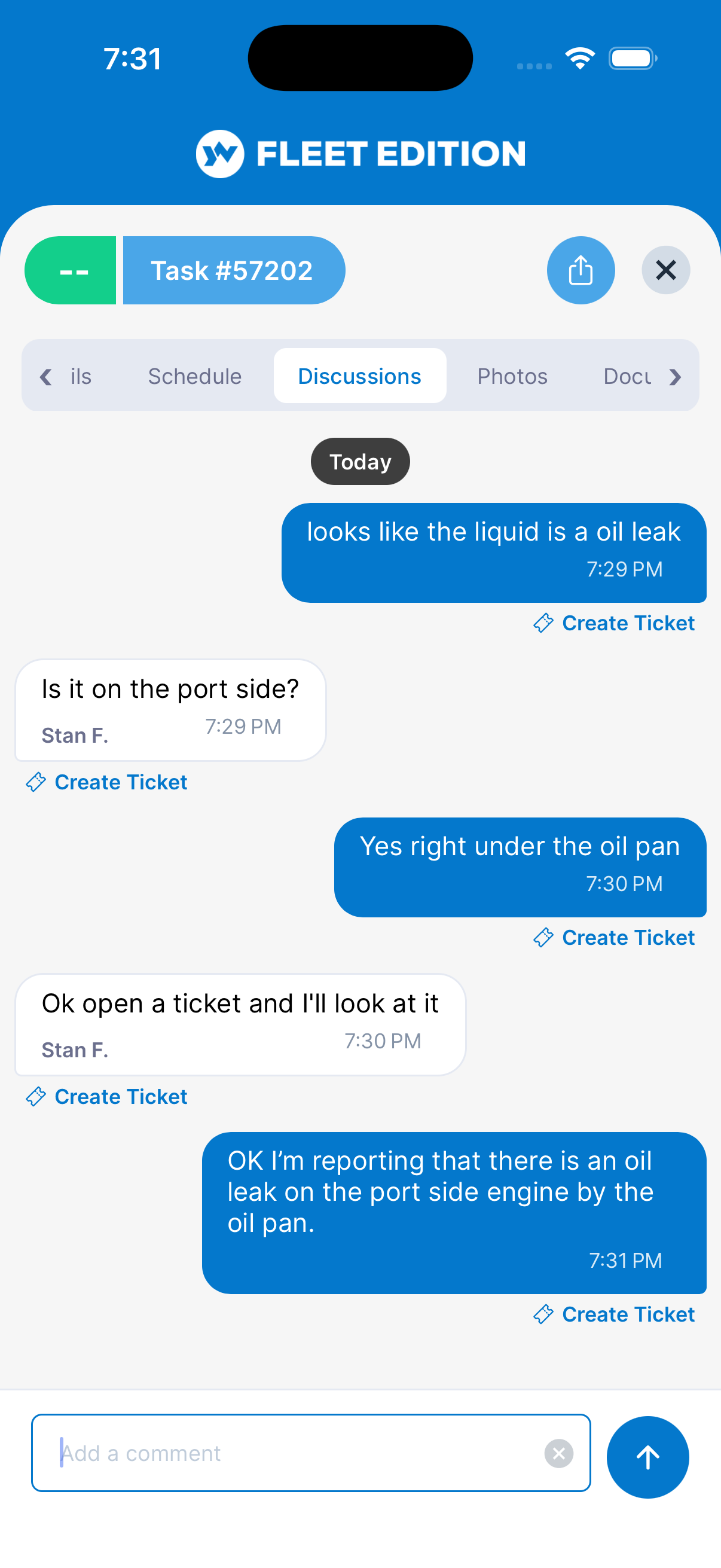
A built-in chat app for every task. The people actually doing the job talk on the job — questions, decisions, changes of plan — and the team is notified the moment a comment lands, by push, email, and in-app. Nobody has to sit watching a chat window to find out what changed.
One Less App to Chase
No separate messaging app for work talk, and no group thread where the port engine and the dinner plans share a scroll. If it's about the job, it's on the job — so finding it later never starts with “who do I ask?”
Attributed, Dated, and Kept
Every comment carries who wrote it and when, laid out day by day, with an edited marker if it was changed after the fact — and only the person who wrote a comment can edit or delete it. That's the difference between a conversation you can rely on a year later and one anybody can quietly rewrite.
The Next Crew Member Reads the Whole Story
Someone joins the boat mid-job and scrolls back: the symptom, what was tried, what the yard said, what was decided and by whom. No forwarding, no briefing, and no depending on whoever was there at the time still being there.
Comment-to-Ticket Conversion
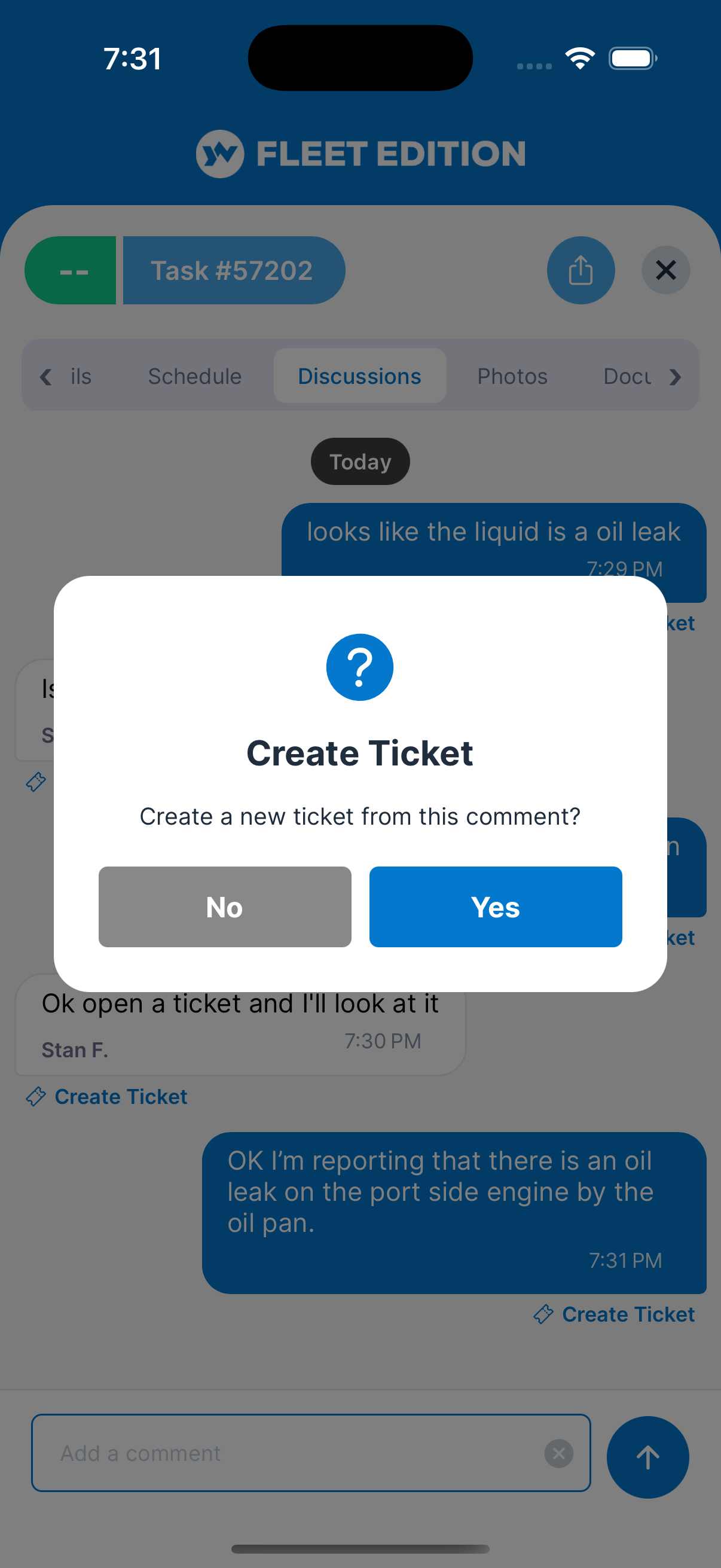
Spot a problem in a task chat? One click turns that comment into a trouble ticket — reported, tracked, and routed without retyping a word.
Send the Whole Job to Anyone — No Login Required
Yards, outside mechanics, insurance adjusters, owners' reps — the people who need to see the work usually aren't in your software. With YACHTWAVE they don't have to be.
Share Any Task as a Live Web Page
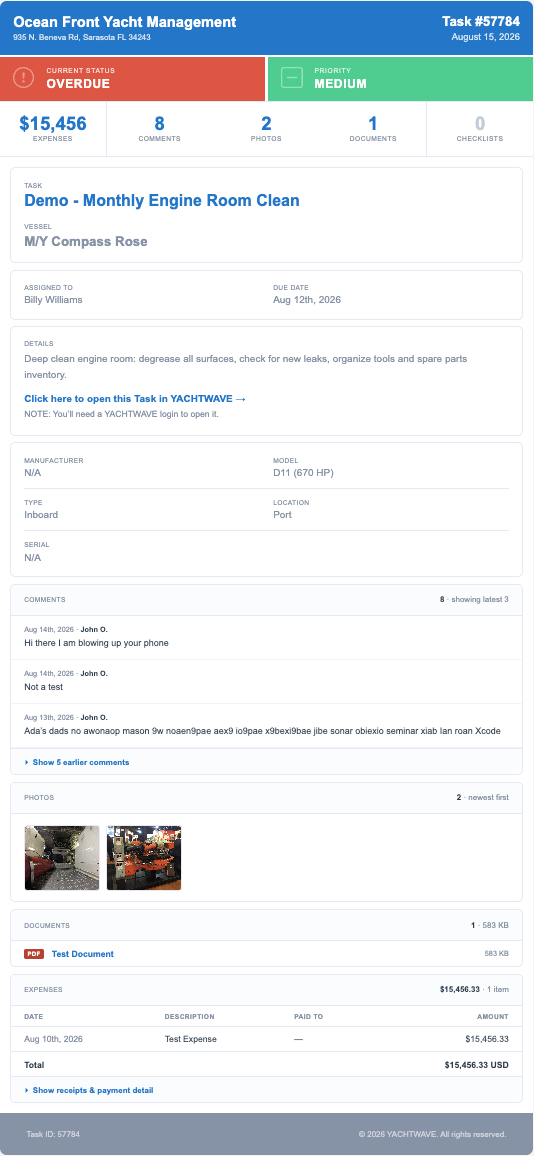
Share any task with an outside mechanic, contractor, or anyone else you choose — they view it in any browser with no YACHTWAVE account and no login. And because the page is live, it always shows the task as it stands right now: refresh it and the latest details are right there.
The Complete Job in One Link
Status, priority, assignment, due dates, the full work description, the comment history, photos, documents, and expenses — everything on the task travels with the link. No exporting, no PDFs, no email chains with attachments.
Your Company Front and Center
The shared page carries your management company's name at the top — every job you send out the door looks as professional as the operation behind it.
Built for the Day Your Crew Changes
Industry surveys put most engineering handovers at a week or less — then the knowledge is gone. When the work lives in YACHTWAVE instead of in someone's head, a crew change is an afternoon's admin, not a lost year of vessel history.
Bulk Task Reassignment Fleet Editions Coming Soon
Crew member leaving? Move every open task to their replacement in one operation — the crew-turnover feature. The new hire starts with a complete queue and the full history behind every job.
A Service History That Stays With the Boat
Every completed task, photo, comment, and log entry remains on the vessel's record — searchable by whoever holds the role next. The knowledge stays, even when the person goes.
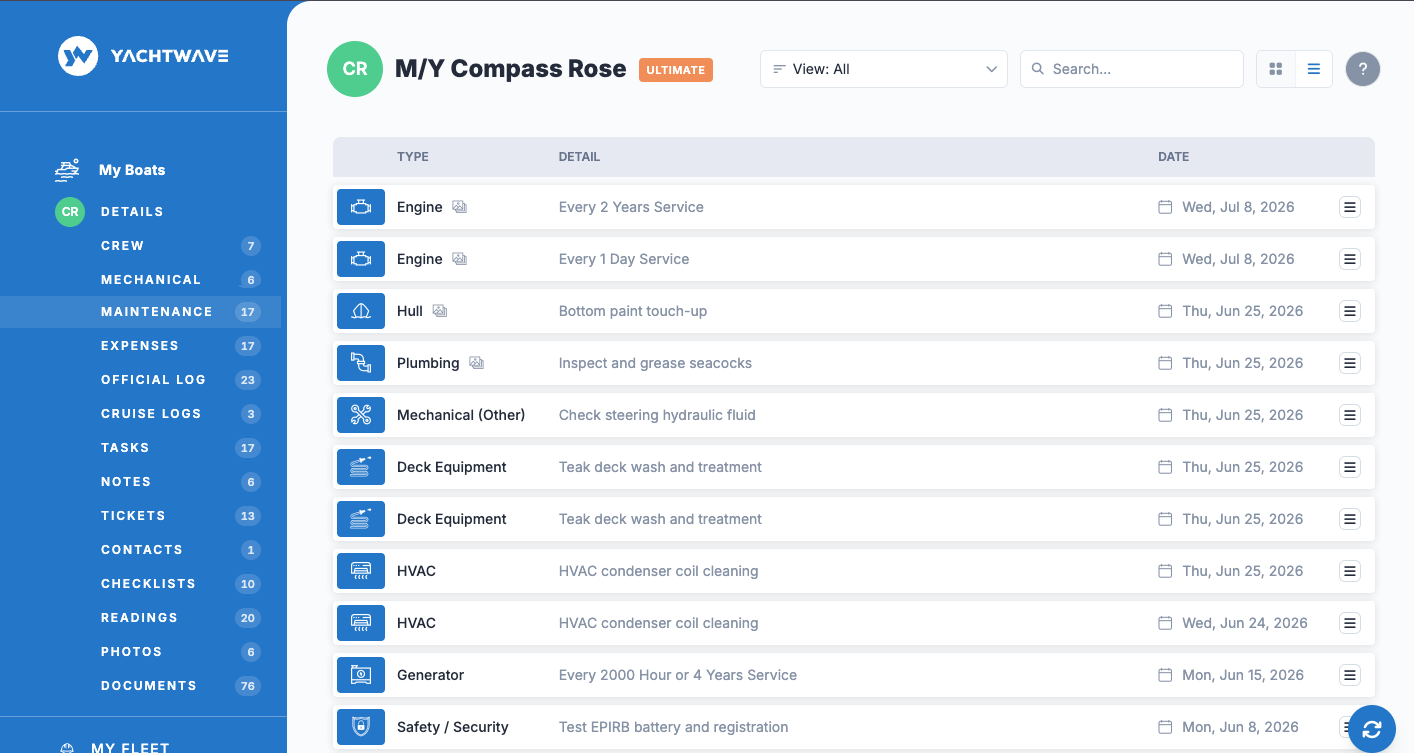
Basic Tasks & Work Orders are included in every YACHTWAVE® edition — including the free Personal Edition. Advanced workflow controls like custom statuses, comment threads, and enforced checklists are part of the Ultimate Edition.
Compare Every Feature, Edition by Edition →
Ready to Put Your Workflow in One Place?
See how yacht managers run entire fleets — and owners run their own boats — on YACHTWAVE tasks.
CONTACT US