
Expense Tracking
Photograph the receipt. That's the whole job — the expense writes itself, against the boat, the engine, or the trip it was spent on.
Expenses Shouldn't Be in a Shoebox
Captains Are Not Accountants. They Should Not Have to Be.
Money leaves a boat in a dozen places: the fuel dock, the yard, a chandlery, a mobile tech's invoice, a marina office that still writes by hand. The receipts end up in a drawer, a jacket pocket, and somebody's camera roll — and at the end of the month a captain who was hired to run a vessel sits down to reconstruct a month of spending from paper and memory. Meanwhile owners have stopped accepting a summary: they expect to see what the boat costs while it is costing it. YACHTWAVE® yacht management software removes the typing entirely — photograph the receipt where you're standing, and the record files itself against the vessel it belongs to.
Snap It. Check It. Done.
Pro & Ultimate
Expense tracking fails for one reason: entering an expense is more work than losing it. So the only thing a yacht manager or crew member has to do is take the photograph — and what happens next is comprehension, not character scanning, which is the difference between a feature that works on your receipts and one that works on the demo.
AI Receipt Reading
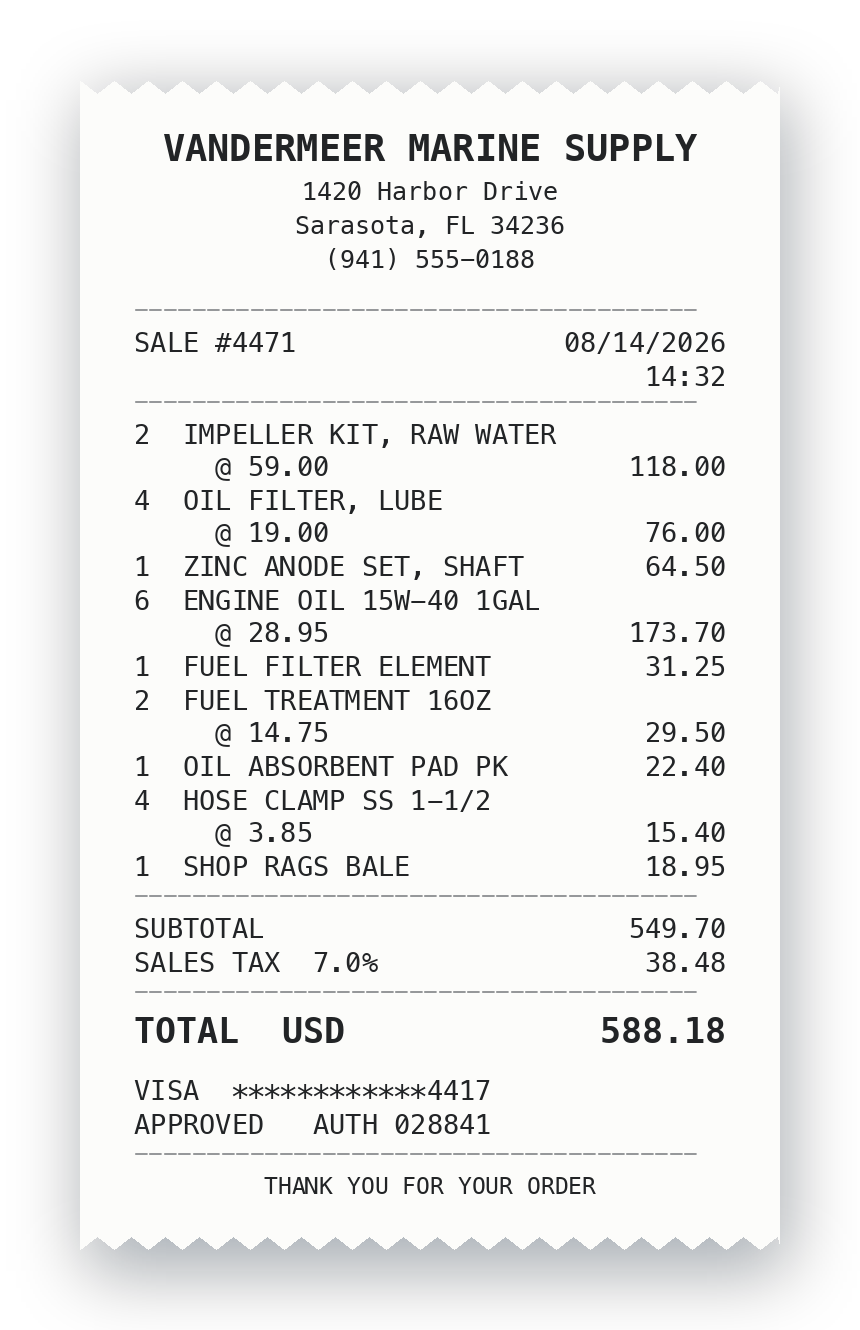
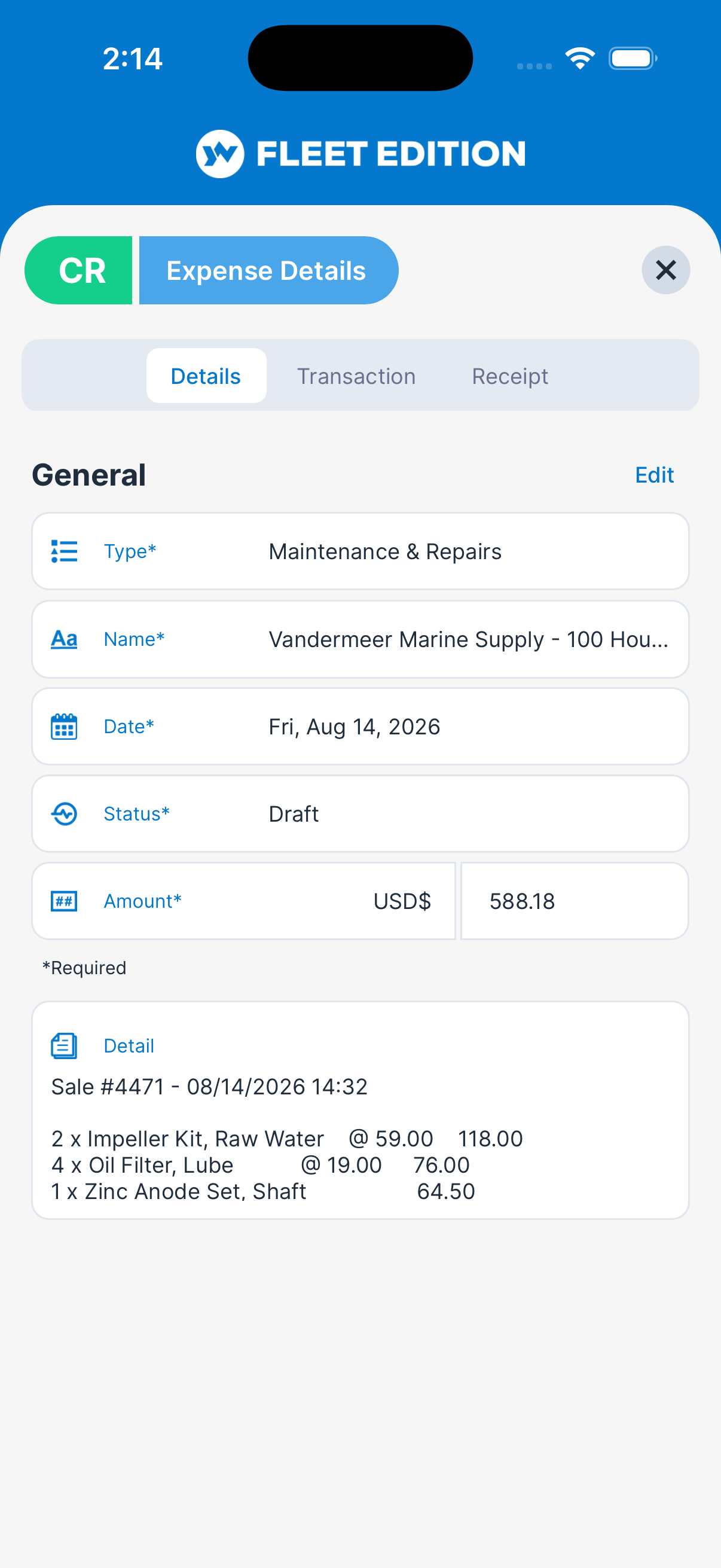
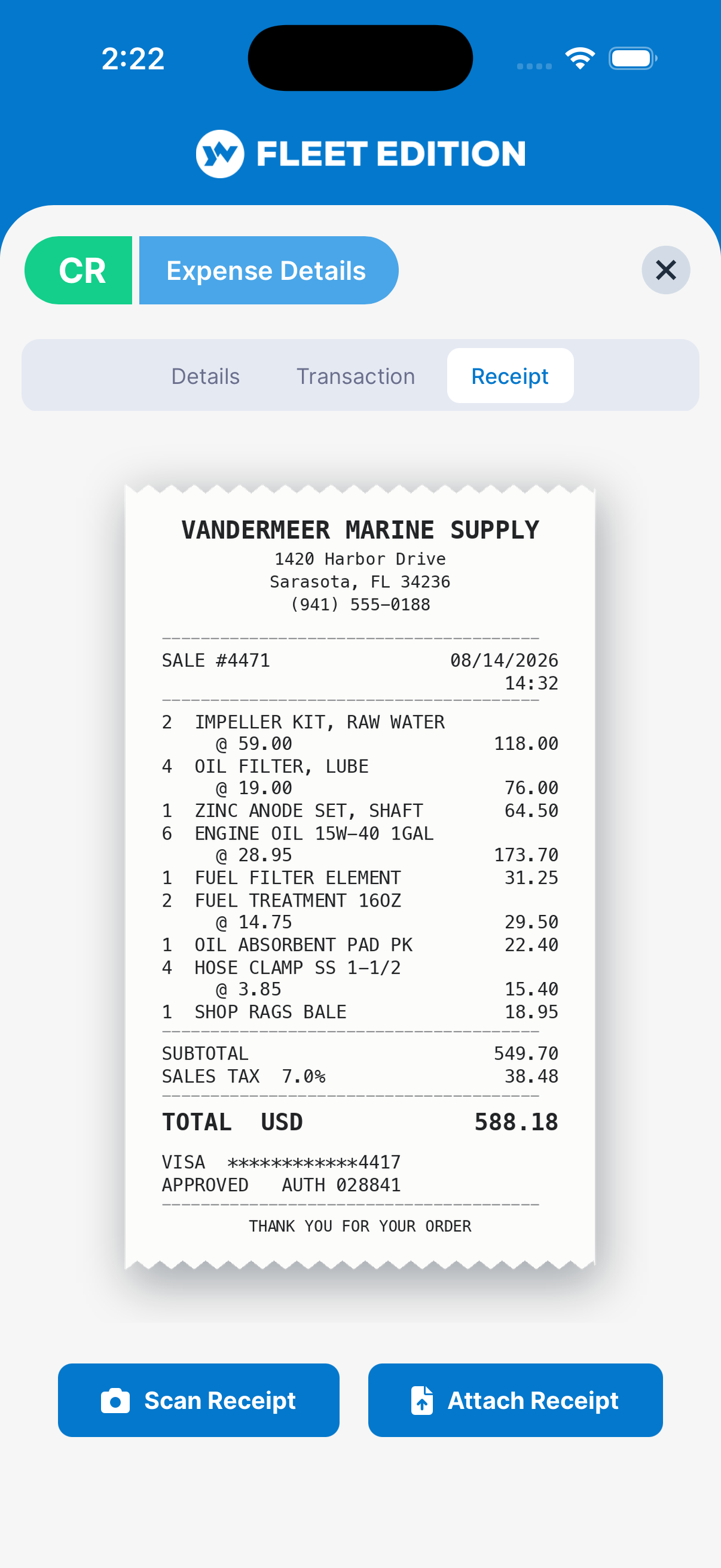
Photograph a receipt and the expense is created for you — vendor, itemization, currency, tax, and total. No form to fill in, nothing to type.
It Reads the Receipt. It Doesn't Scan It.
This is not text recognition with a tidy-up pass on the end. Older receipt scanners lift characters off a page and then guess at what they mean from position and pattern — which is why they need a template per vendor and fall apart the moment a receipt looks unfamiliar. YACHTWAVE uses Google Gemini, which comprehends the document the way a person does: it looks at a piece of paper it has never seen before and works out what kind of paper it is and what each number on it means.
The Things That Defeat a Scanner
A receipt carries a dozen numbers and only some of them matter. Which one is the total, when the page also shows a subtotal, a tax line, a tip, an authorization code, a loyalty balance and a phone number? Which figure is tax and which is gratuity? Is IMP KIT RW a part or a fee? Is that $ dollars, and dollars of which country? Character matching cannot answer any of that. Understanding the document answers all of it — and it is why the reading holds up on a chandlery slip, a fuel dock ticket, and a yard invoice that share no layout at all.
It Even Picks the Category
The expense arrives already classified — a parts run filed under maintenance, a fuel stop under fuel — because the reading is based on what the purchase actually was, not on which pixels sat in which corner. No scanner has ever been able to do that.
Crumpled, Faded, or a PDF
Thermal paper that has been in a pocket all afternoon, a photograph taken at an angle in bad light, or an invoice that arrived as a PDF. The reading step is the same, because the boat does not generate tidy paperwork — and comprehension survives a bad photograph in a way character matching never has.
You Review — You Don't Retype
Everything arrives filled in and editable. Glance at it, fix anything you disagree with, save. That is the difference between an expense system a crew actually uses and one that quietly fills a drawer instead.
Every Expense Knows Where It Came From
Pro & Ultimate
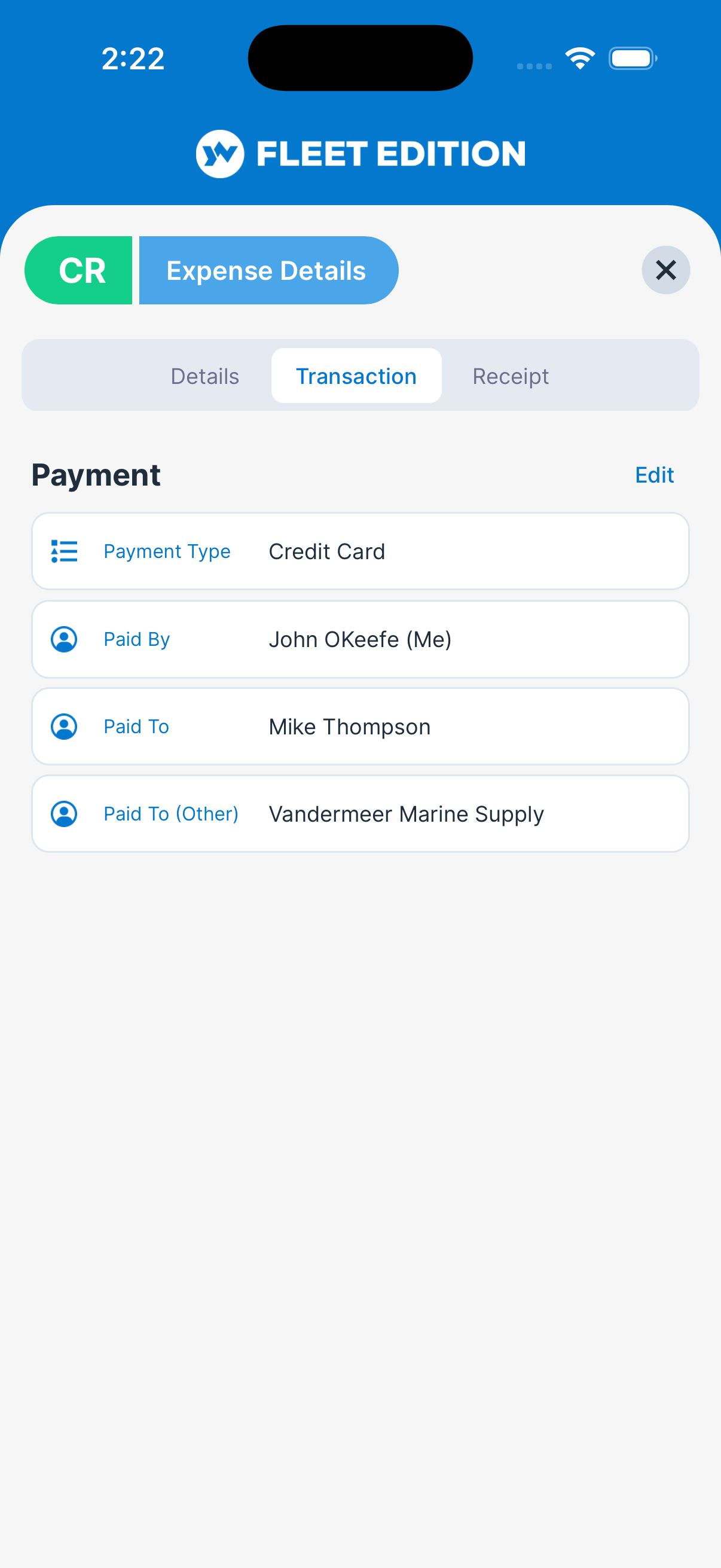
A total on its own is trivia. What makes a number useful later is everything recorded alongside it — who spent it, who was paid, in what currency, against which boat.
Expense Tracking
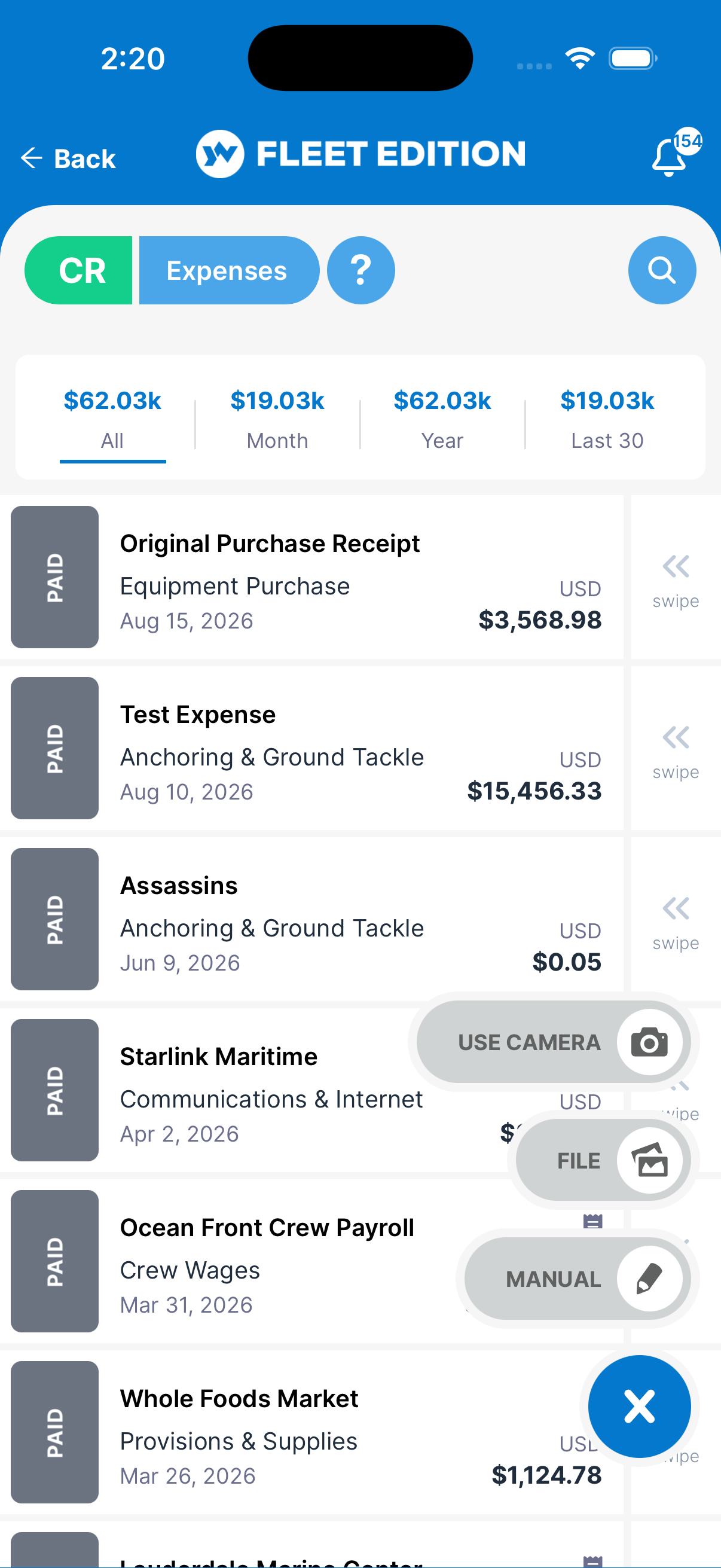
Every dollar spent on a vessel — fuel, dockage, parts, labor — recorded where it happened, with type, date, payment method, and who paid it. Finally know what each boat truly costs to run.
“Paid To” Comes From Your Own Contact Book
The vendor is picked from the boat's contacts rather than typed fresh each time, so spend accumulates against the yard that actually received it. When the annual haul-out comes up for negotiation, you already know what this yard has cost you. More on Vendor Spend →
Multi-Currency
Each expense carries its own currency and the dashboard subtotals each one separately. Euros at the yard and dollars for parts are never added together into a single figure that would be wrong the moment the rate moved — a fleet crossing borders gets arithmetic it can defend.
Crew Don't See the Owner's Numbers
Expenses can be restricted per record, so the people who need to log a fuel stop are not also reading what the boat costs its owner. Visibility follows the role, which is what lets a whole crew use the same system.
Crew Submit. Managers Approve. Nobody Chases Anybody.
Pro & Ultimate
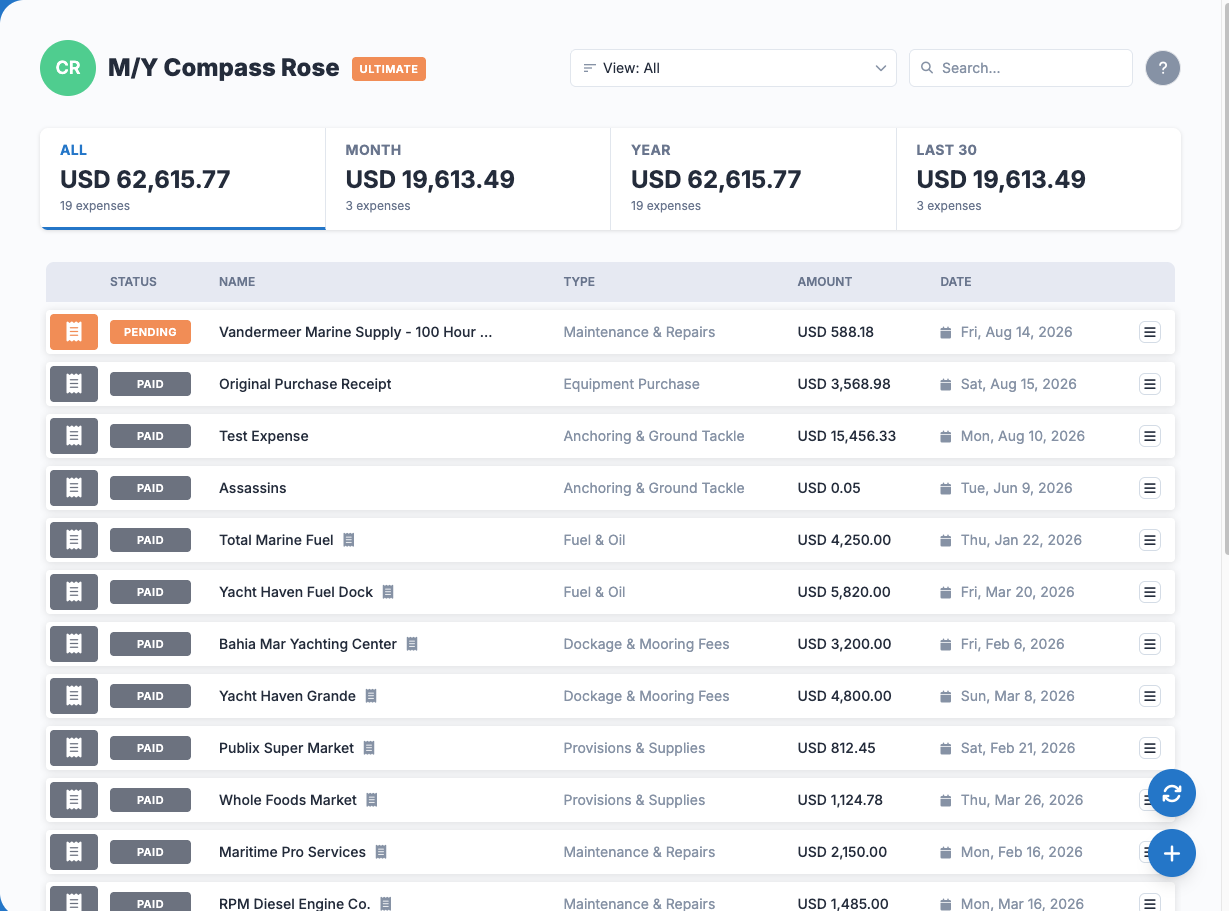
The same expense, seen three ways — because the person who spends the money, the person who signs it off, and the person who pays for the boat are rarely in the same country.
Approval Workflow
Draft, Pending, Approved, Paid — each colour-coded, so the state of every expense on every boat is readable at a glance rather than reconstructed from an email thread.
The Crew Member Photographs and Submits
Standing at the fuel dock, on a phone, in about ten seconds. No form, no app training, and no receipt to keep hold of until somebody asks for it.
The Manager Approves From Anywhere
Spend control that doesn't require being on the dock. Review what came in, approve it or send it back, and the crew member knows immediately — instead of a countersignature waiting for the next time you're both on the same boat.
The Owner Sees a Report, Not a Shoebox
Because the record was created at the moment of spending, the monthly picture is already written when the month ends. Nothing to assemble, and every line has its receipt attached to it.
What Has That Generator Actually Cost You?
Pro & Ultimate
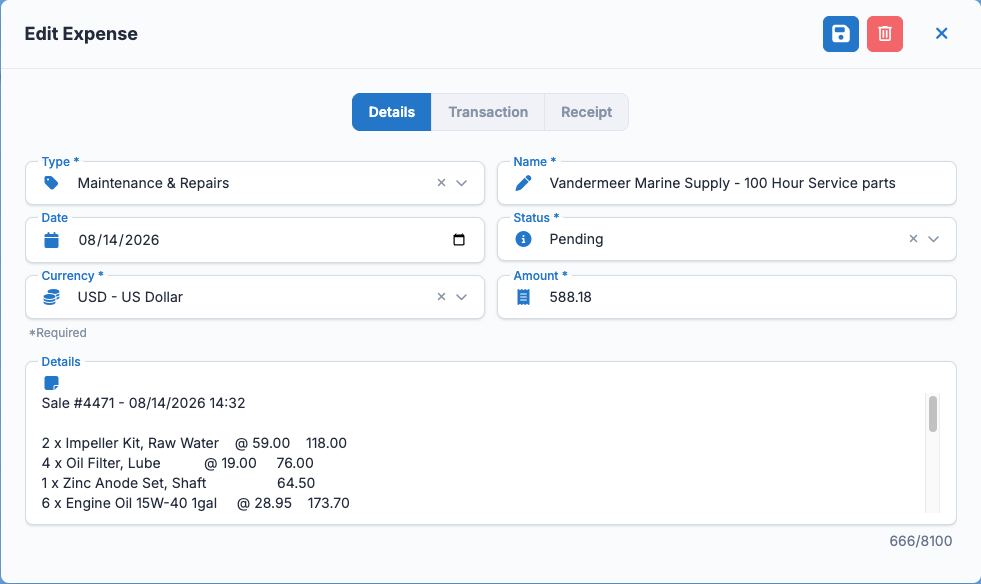
This is the question a spreadsheet can never answer, because a spreadsheet records that money was spent — not what it was spent on. In YACHTWAVE® yacht maintenance software the expense is attached to the thing itself.
Cost per System & per Trip
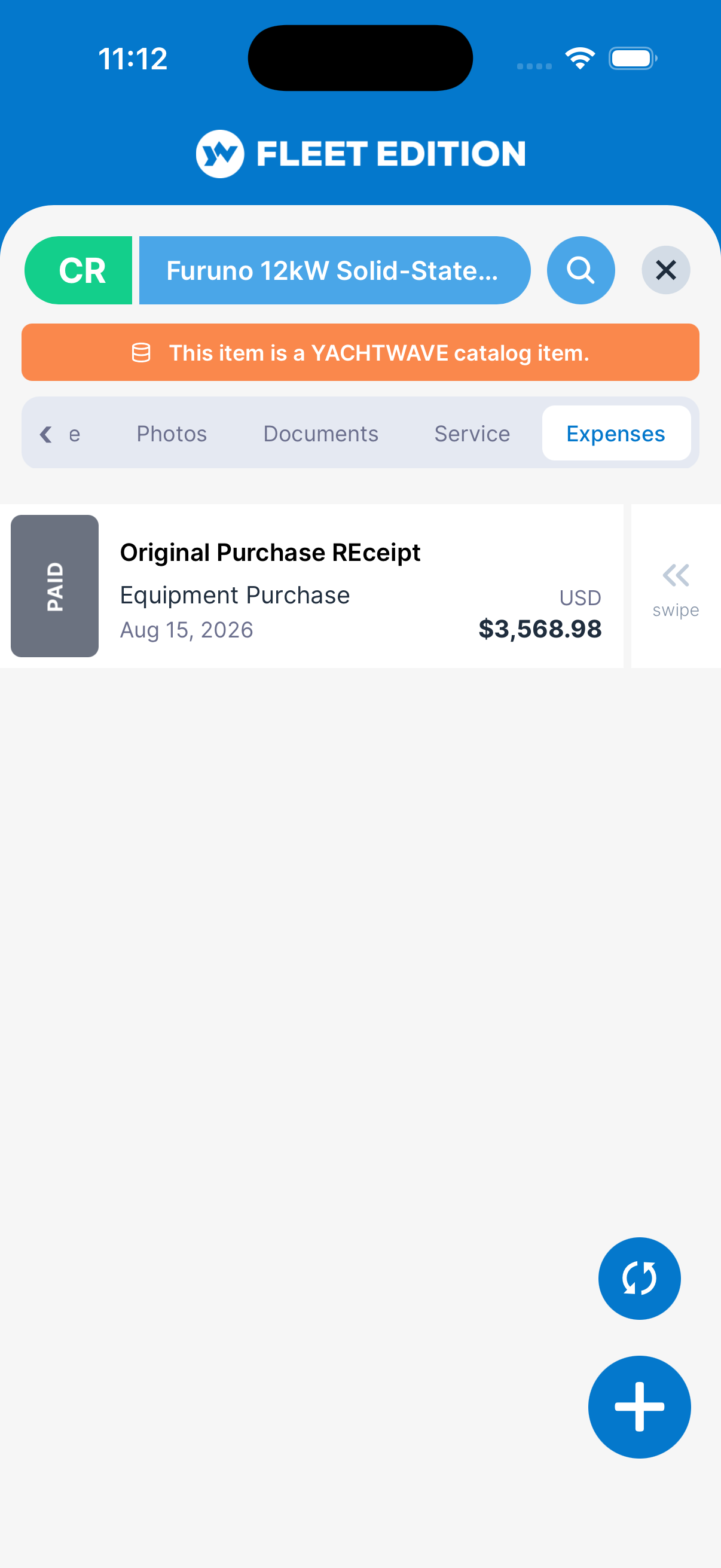
Expenses attach to the engine, task, cruise log, or item they were spent on — so cost per system and cost per trip fall out on their own, with nobody tagging anything at budget time.
Booked to the Thing It Was Spent On
An invoice lands on the engine it repaired, the work order it belonged to, or the maintenance log that recorded the job — and stays there. The generator that has quietly cost more than it is worth stops hiding inside a fleet total.
The Repair-or-Replace Conversation, With Numbers
Recommending a replacement to an owner is a different conversation when you can show four years of that unit's invoices instead of an impression. The evidence assembles itself, one receipt at a time, long before you need it.
Filters, Search, and Export
Narrow by date, type, status, who paid, or amount; pull it into a fleet report with the aggregations already computed, or export to CSV for the accountant who wants it their own way.
Expense tracking, AI receipt reading, the approval workflow, multi-currency reporting, and cost per system are part of the Pro and Ultimate editions.
Compare Every Feature, Edition by Edition →
Stop Reconstructing the Month From a Drawer
Photograph the receipt where you're standing and the expense files itself — against the boat, the engine, and the trip it belongs to, in the currency it was actually paid in.
CONTACT US