
Only 1 in 3 Boat Buyers Chose New.
Deliver the Boat. Keep the Customer.
Every boat you build, connected to you for life. Your brand in the owner’s hand.
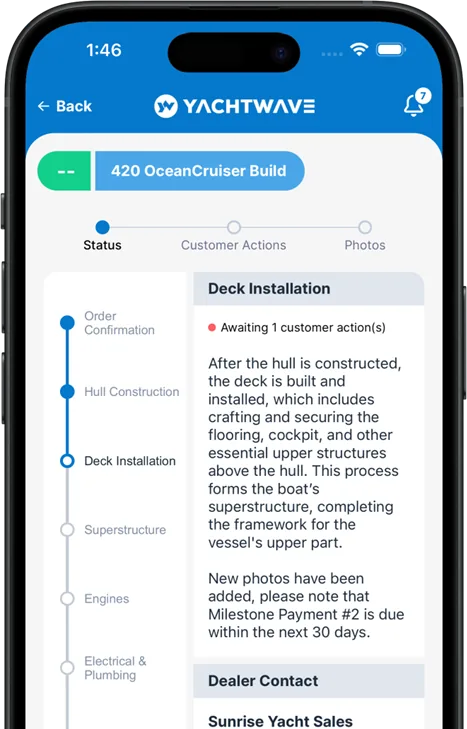
SELECTION MANAGER.
Your Customer Selects. You Have It All in One Place.
Selection Manager gives your customer every option to see, research and choose on the web, and gives you every selection, change and sign-off for the build in one place.
The Challenge
Hundreds of Lines, Small Pictures, Little Detail.
Today your customer chooses from a spreadsheet: hundreds of lines, small pictures, little detail. They stall, your sales team walks them through it line by line, and the answers end up scattered across emails, calls and notes.
Part 1
The Customer Selects.
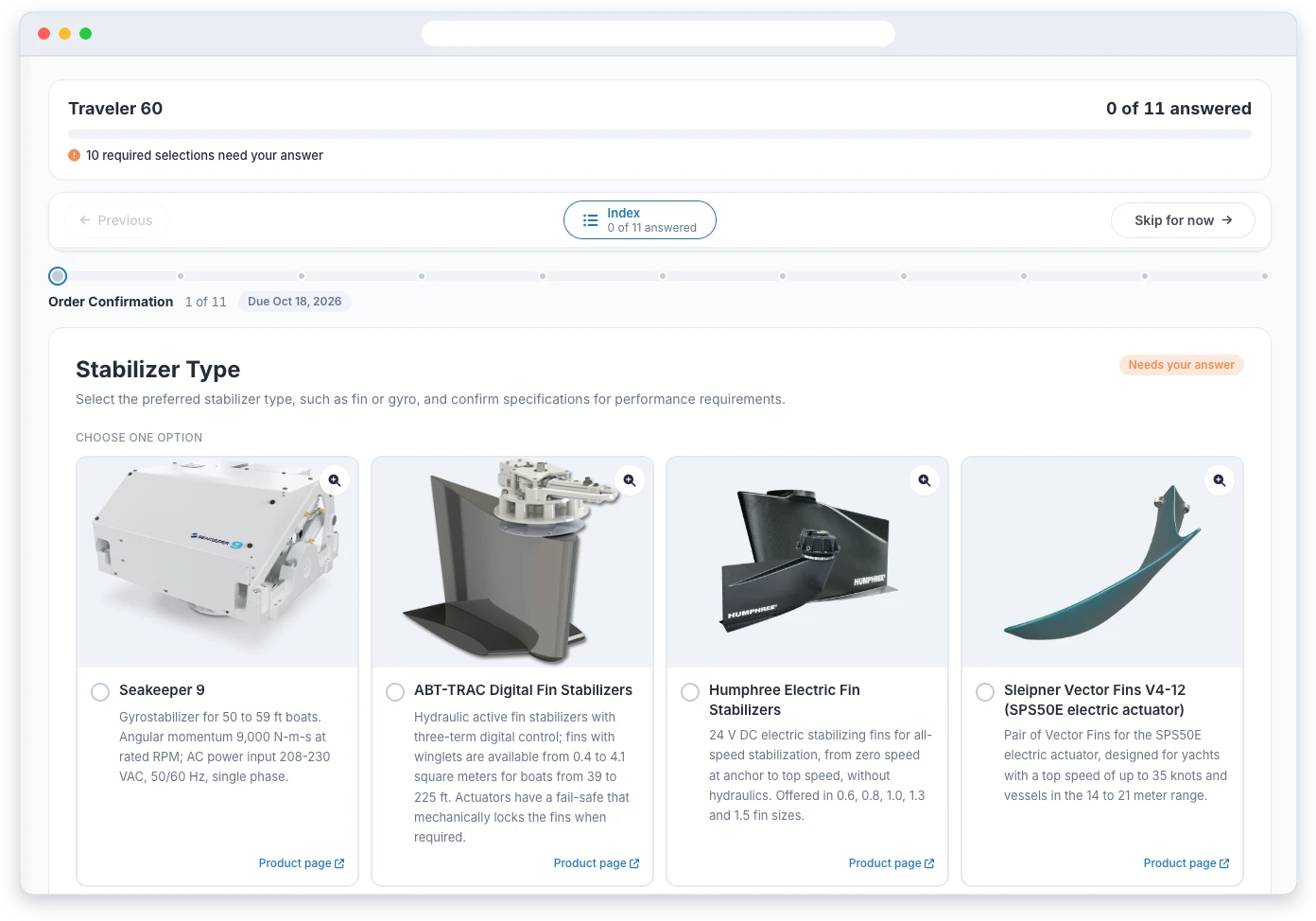
See It, Research It, Choose It
Every Option, Up CloseOptions come with a photo, a description and a link to the maker’s product page, so your customer can research each one and make the selection right there, on the web. No more guessing from a line in a spreadsheet.
Features:
- See It, Not a Part Number Photos of the options, so the customer sees what they are choosing.
- Enough Detail to Choose A plain description of each option on the selection itself.
- The Maker’s Own Page One click to the maker’s product page for anything the customer wants to research further.
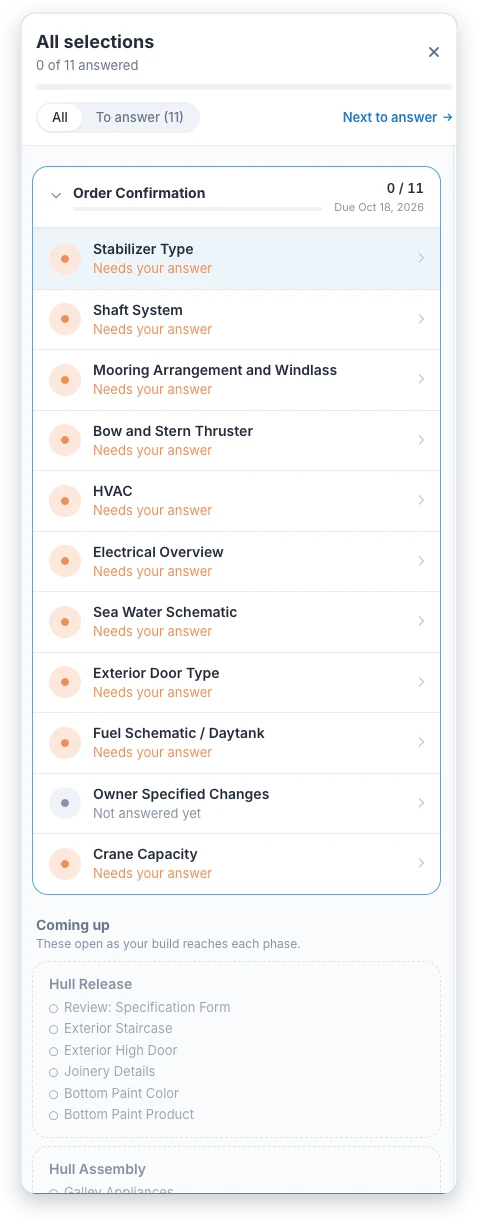
One Choice at a Time, on Schedule
Released with the BuildSelections are released with the build phase they belong to, each with a due date. Customers see what’s required, what’s next and how far along they are.
Features:
- Phase by Phase Only the selections the build needs now are open; the rest are listed as coming up.
- A Due Date on Every Selection Each phase’s selections carry the date the build needs them by.
- Progress at a Glance What is answered, what still needs an answer, and what opens next.
Sign-Offs Too, Not Just Options.
Your customer can approve drawings, confirm spares and sign off soft goods in the same place.
Part 2
You Have It All in One Place.
Every Selection, Change and Sign-Off in One Place.
Every answer lands on the build the moment your customer makes it. No spreadsheet to update, no email thread to search, nothing re-typed.
Review and Lock
Mark each selection Approved, Under Discussion or a Problem, and lock it when it’s settled. A locked selection is the receipt.
Internal Changes and Approvals
Your team’s changes logged with reasoning and approvals, alongside the customer’s selections.
Modifications
Change requests tracked with version control and impact analysis.
Version Tracking
The complete history of how each selection evolved through the build.
Audit History
Every change kept in a locked history, time-stamped and attributed.
One Place for Everyone
Your customer and your team work from the same record, and the yard gets it on the Production Build Order.
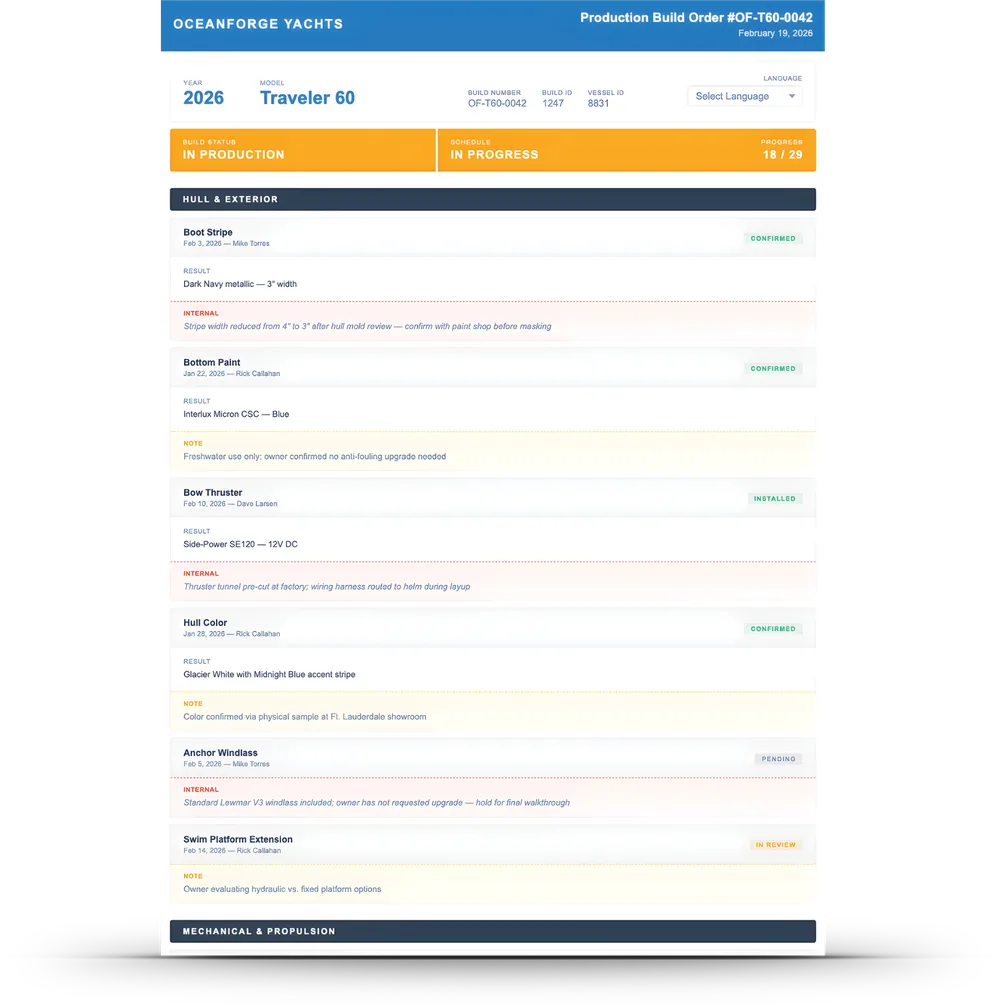
From One Place, Two Reports
Master Build Summary & Production Build OrderMost builders show the customer nothing at all, or a spreadsheet — the same one the yard is working from, re-typed at every stage and out of date the moment a selection changes.
Selection Manager produces two reports from the same live data. The Master Build Summary is the customer’s window sticker: every option on their boat, as they chose it, branded as yours. The Production Build Order is the yard’s build sheet: the same selections, with the production notes the customer does not see. Change a selection and both update in real time. Nobody re-types anything.
Features:
- One Source, Two Reports The customer’s sticker and the yard’s sheet come from the same selections; a change shows in both instantly.
- The Customer’s Window Sticker Every selected option on one branded page, the way a new-boat buyer expects to see it.
- The Yard’s Build Sheet The same selections with model year, build number and production status — plus internal production notes kept private from the customer.
- Customer-Visible Notes What the customer should know about a selection, on their copy only.
- Modification Accountability Every change time-stamped and attributed to the person who made it.
- Your Name on Both Each document carries the boat builder’s name and identity.
Where Keep the Customer Begins.
One place for your customer to choose, one place for you to build from. Every selection becomes part of the boat’s record for DELIVER and CONNECT.
Deliver the Boat. Keep the Customer.
See BUILD, DELIVER and CONNECT working in a builder-branded app.