
What is this? Your onboard supplies — oil, filters, fluids, cleaning products, spare parts. The consumables that get used up over time. Food and drink go in the separate Provisions list, on plans that include it.
The Basics
Inventory is for consumables — things that get used up and replaced regularly. It’s the third category in the YACHTWAVE asset model:
- Mechanical — hour-metered systems (engines, generators). See Mechanical.
- Equipment — installed gear with no hour meter (electronics, anchors, safety gear). See Equipment.
- Inventory — consumables tracked by quantity (this screen).
Inventory comes in two flavors:
- Stores (the Inventory tile) — non-food consumables: oil, filters, hydraulic fluid, cleaning supplies, deck soap, spare hose clamps. Tracked by the quantity on hand against the quantity you want to keep aboard.
- Provisions (its own Provisions tile) — food and beverage. Same mechanics but a distinct list and type set, so your engine room doesn’t share a screen with your wine cellar. See Provisions.
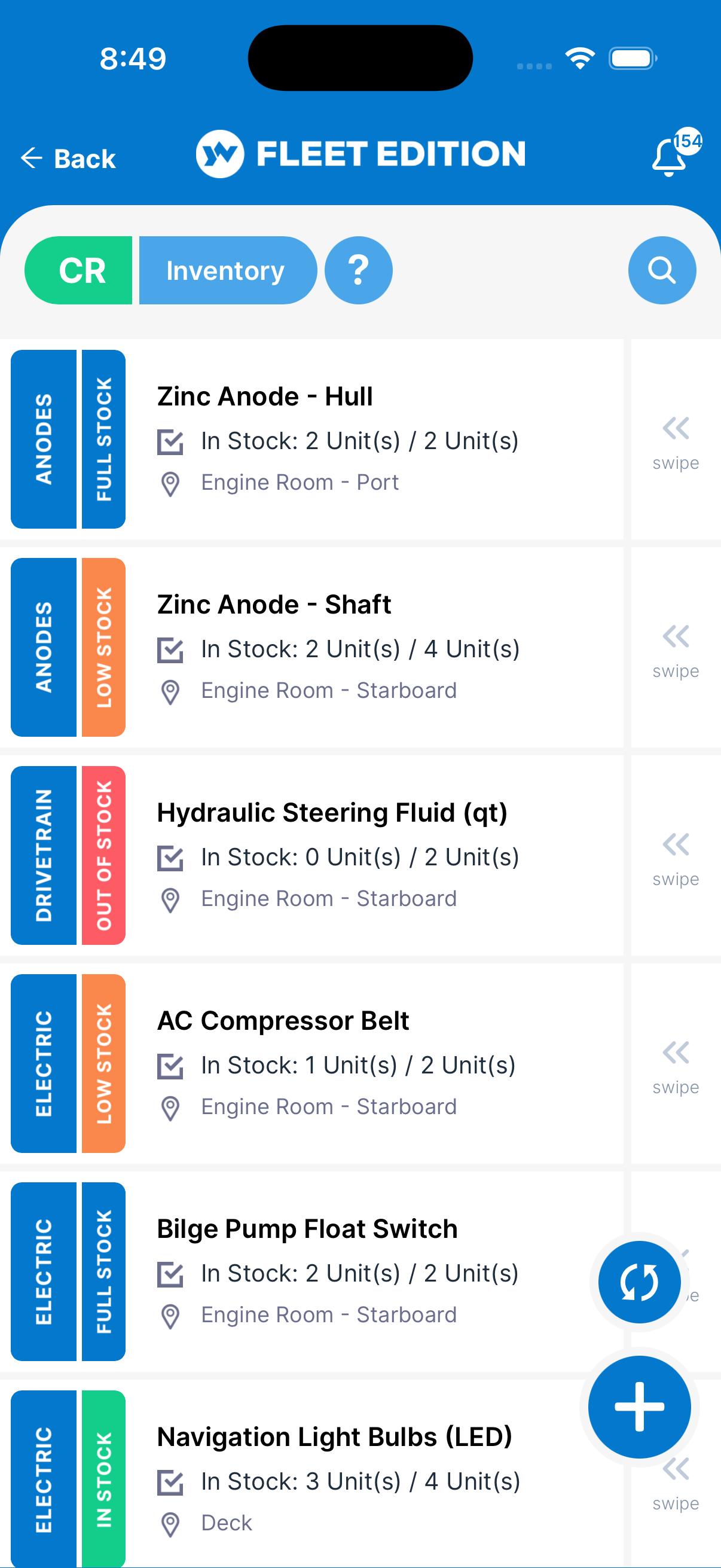
Each tile shows the item’s type, its stock status, how many you have against how many you need (for example “In Stock: 3 Units / 6 Units”), and where it’s stored.
Key Things on This Screen
- Item tile — Name, type, stock status, on-hand / required count, and location (with position, if you entered one).
- Stock status — Compares On-hand with Required: Overstock (more than required), Full Stock (exactly required), In Stock (more than half), Low Stock (half or less), Out of Stock (zero).
- Expiration badge — For item types that can expire, the tile also shows Good, Expiring (30 days or less) or Expired once you set a date.
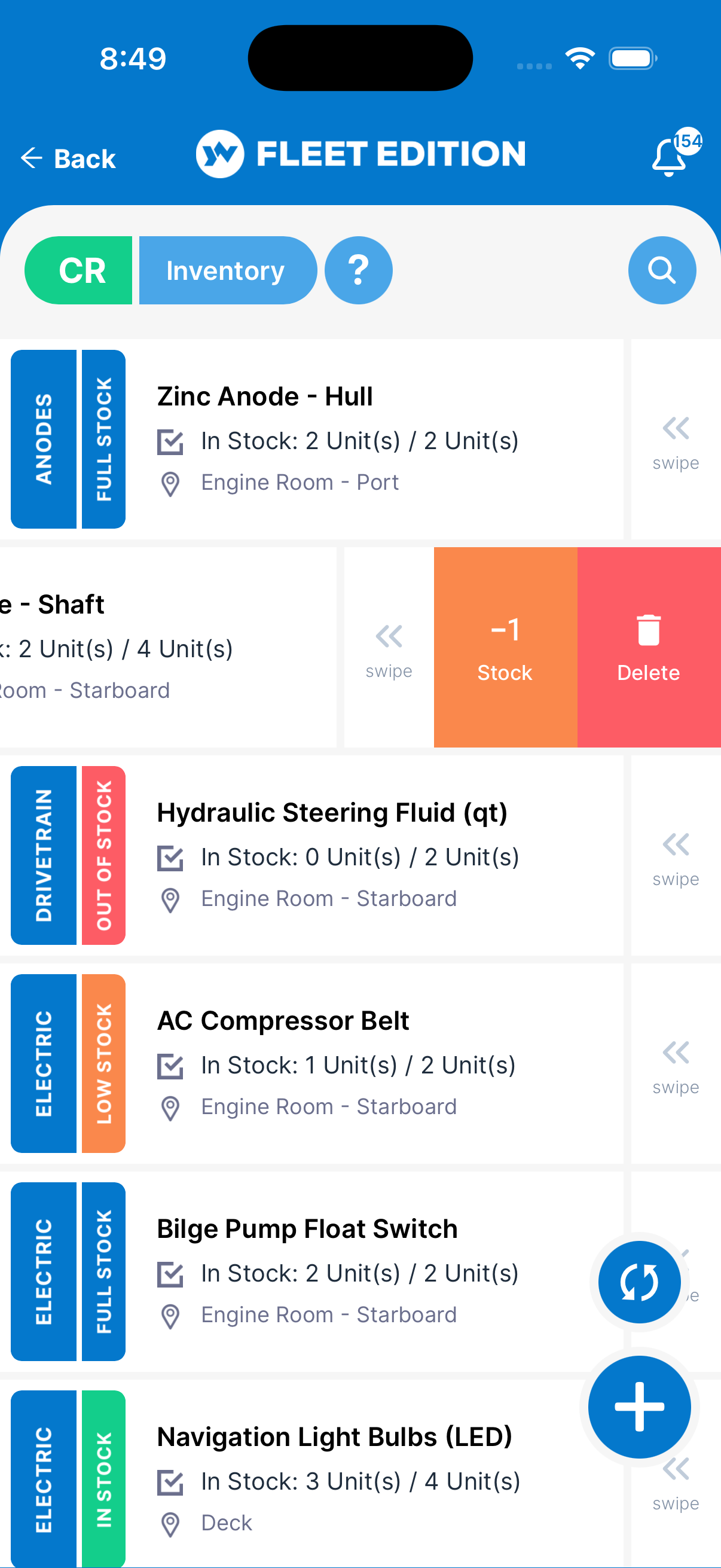
- Swipe a tile — Swipe one way to add 1 to the on-hand count; swipe the other way to take 1 away or delete the item.
- + button (lower right) — Add a new inventory item. You need a connection to add one.
- Search — Searches name, type, location, position, part number and stock status.
How to Add an Inventory Item
- Tap the + button. (To add a food item, start from the Provisions tile instead.)
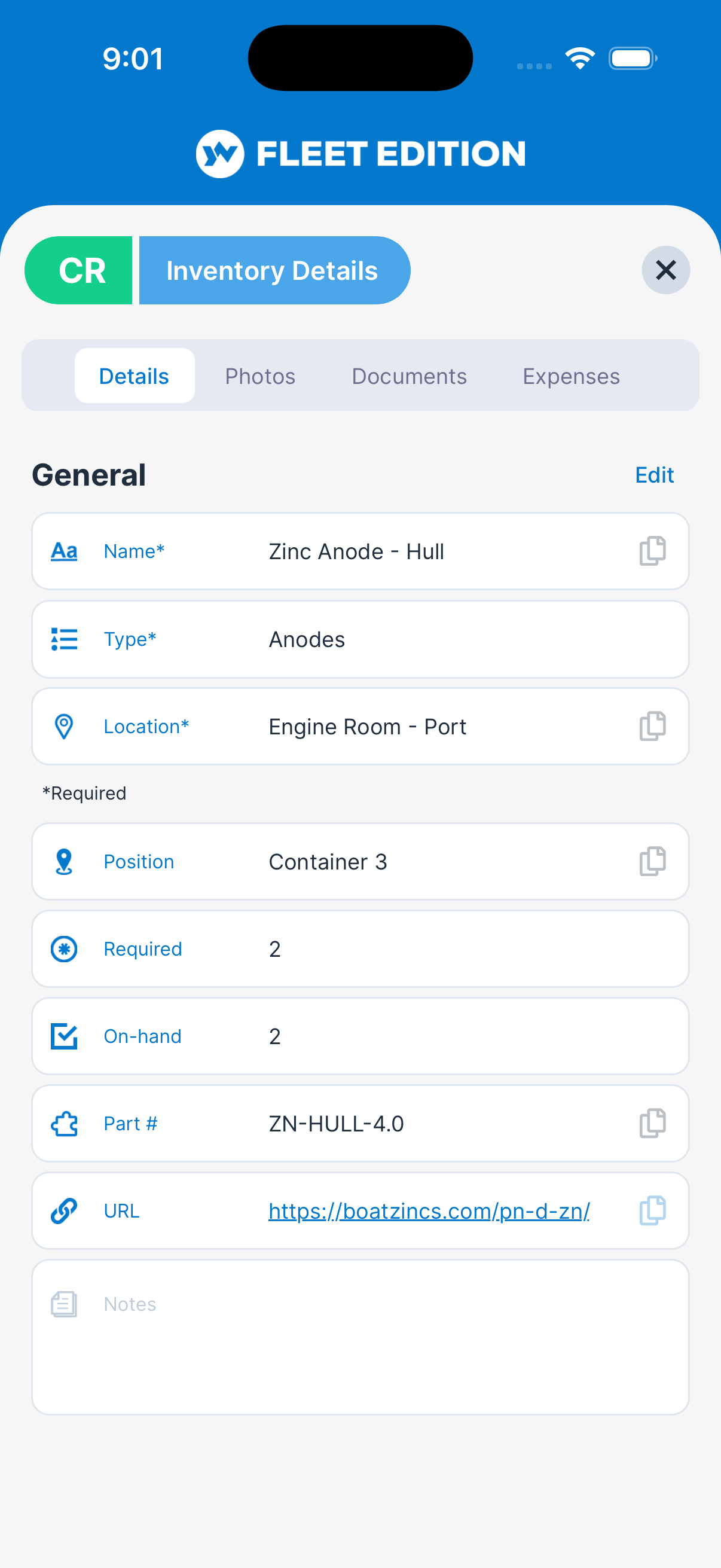
- Enter the Name (e.g. “Rotella 15W-40, 1 gal”).
- Pick the Type (the list shows only stores types).
- Pick the Location where it’s stored, and optionally enter a Position (e.g. “port lazarette”).
- Enter Required (how many you want aboard) and On-hand (how many you have now).
- Optional: enter a Part # and a web link for reordering.
- Optional: if the type can expire, the Expiration section appears — choose Expires and pick the date (USCG safety gear especially benefits from this).
- Tap Add.
How to Update a Quantity After Using or Restocking
For one unit at a time, just swipe the tile: one direction adds 1, the other takes 1 away (it never goes below zero).
For a bigger change:
- Tap the item’s tile to open it.
- Tap the edit icon at the top of the form.
- Change On-hand to the current count.
- Tap Save.
Tips
- Set expirations on safety items (flares, smoke signals, fire extinguishers, EPIRBs). The tile badge (Good / Expiring / Expired) tells you at a glance what’s due — much more reliable than checking labels one at a time.
- Use Locations consistently. “Engine room — port lazarette” beats “EL” when you’re hunting for a filter at 2 AM in 4-foot seas.
- Don’t confuse Inventory with Equipment. Your spare bilge pump is Equipment (marked Undeployed). The hose clamps you keep for it are Inventory. A pump is a thing; clamps are stock.
- Set Required to what you want aboard. Low Stock appears when on-hand drops to half of Required or less.
- Bulk-load on the web version. Typing 60 inventory items on a phone is slow; the web’s keyboard-driven entry is much faster.
Troubleshooting
- “My item shows as out of stock or low stock but I have plenty.” — Update the On-hand count, and check that Required is set to what you actually want aboard. Status is on-hand compared with required.
- “I want to track spare parts that have an hour-based replacement (e.g. impellers).” — Add the spare as Inventory (for tracking the on-hand quantity), and set up the hours-based replacement schedule on the Service Schedule of the engine or equipment that uses it. The two views complement each other.
- “My type isn’t in the list.” — The type list comes from YACHTWAVE. Pick “Other” (the last entry) or email
[email protected]to request a type. - “I can’t set an expiration date.” — The Expiration section appears only for item types that can expire. Change the Type, or pick a type made for expiring items.
- “There’s no expiration badge on my item.” — The badge only shows when you’ve set a date (and the item is in stock). Items without a date show no badge, even if the physical product has one.
Frequently Asked
What's the difference between Inventory and Equipment?
Equipment is installed gear — things that live on the boat (anchors, electronics, pumps, safety equipment). Inventory is consumables — things that get used up (oil, filters, fluids, food, spare parts). A spare bilge pump is Equipment (mark it Undeployed). The cans of oil for the engine are Inventory.
What's the difference between Stores and Provisions?
They're the same mechanic with different lists. Stores = non-food consumables (engine oils, filters, fluids, cleaning supplies, spare parts). Provisions = food and beverage. The split keeps the categories meaningful: nobody wants to scroll past "diesel additive" when they're looking for snacks for the crew.
Can I get a low-stock alert?
Set Required on the item. When on-hand drops to half of Required or less, the tile shows Low Stock in orange; at zero it shows Out of Stock in red. (A push notification for low stock is on the roadmap.)
Can I see what I've spent restocking?
Open the item and use its Expenses tab (when your plan includes Expenses) to record what you paid for it. Using parts on a task does not change the on-hand count — update it yourself.
How do I move inventory between yachts?
Inventory items belong to one yacht. To "move" stock, add the item to the new yacht and remove it from the old one. (Or update the quantities on both.)
See Also
- Equipment — for the gear, not the consumables.
- Mechanical — for the engines that use the consumables.
- Expenses — to record the cost of restocking.
- Service Schedules — to remind you when consumables (impellers, zincs, filters) are due for replacement.