
What is this? Your boat’s non-hour-metered gear — electronics, pumps, anchors, davits, safety equipment, appliances, deck hardware. Everything installed or carried on the vessel that doesn’t have an hour meter.
The Basics
Equipment is the digital filing cabinet for everything on the boat that isn’t an engine. Each item gets its own card — model, serial number, install date, manual, photos, service history.
Equipment items can still have Service Schedules (e.g. “test the EPIRB every 12 months”, “replace the impeller every 24 months”) and Maintenance Logs — they just can’t run on hour-based schedules because there’s no meter to read.
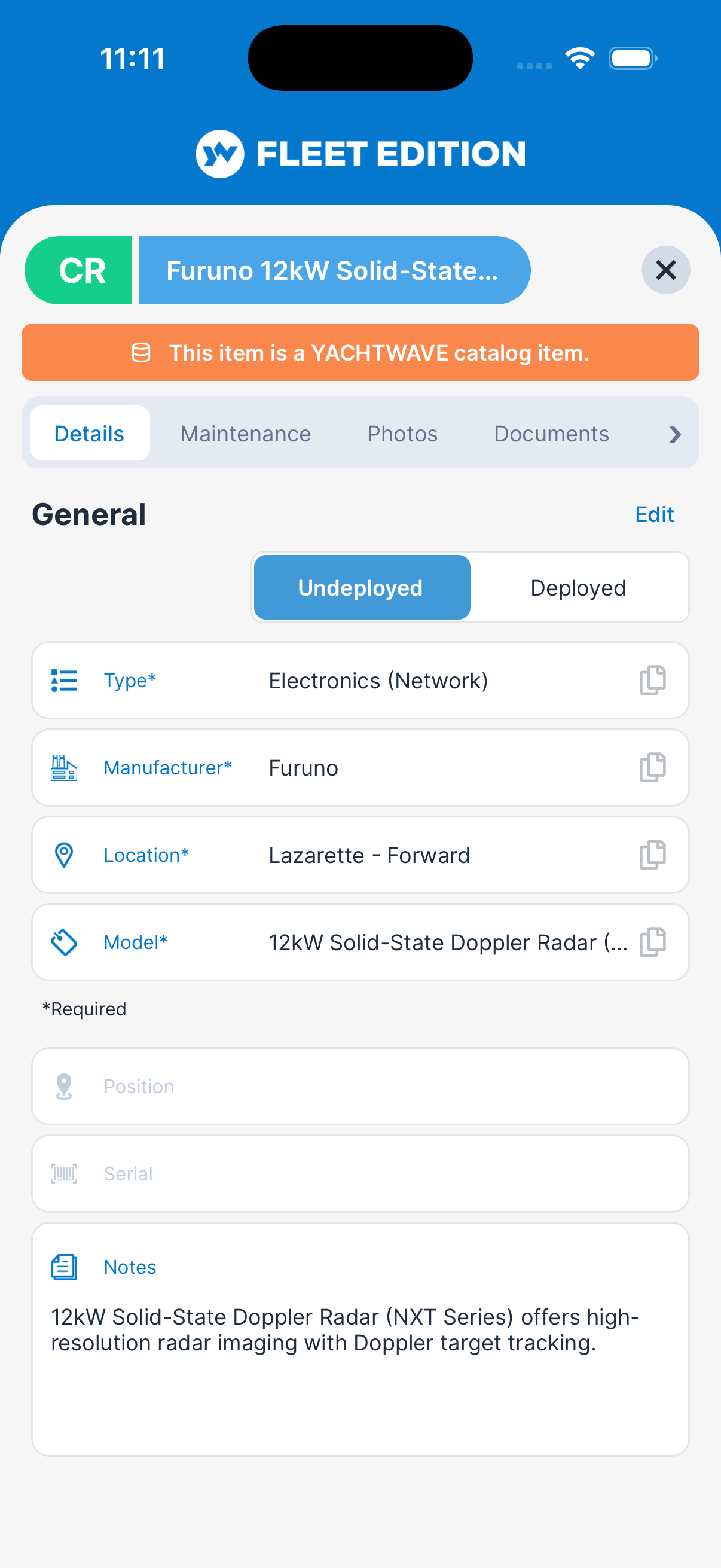
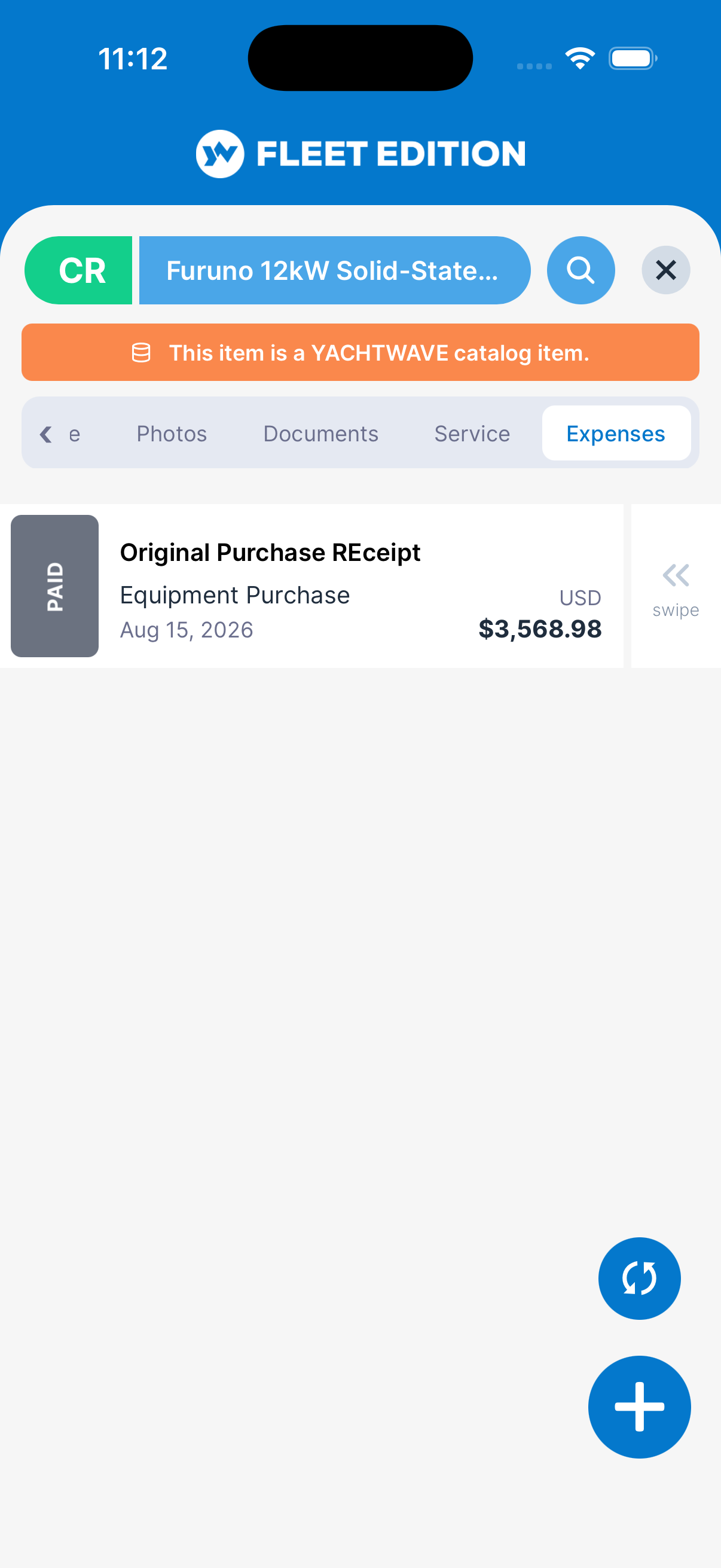
Like Mechanical items, each Equipment entry is a self-contained hub with tabs:
- Details — type, manufacturer, model, location and position, serial number, notes, and Deployed / Undeployed with the install date.
- Maintenance — service history.
- Photos — pictures of the item.
- Documents — manual, warranty, receipts.
- Service — calendar-based intervals (days/weeks/months/years).
- Expenses — what you’ve spent (on plans that include it).
- Audit Log — who changed what, and when (on plans that include it).
Key Things on This Screen
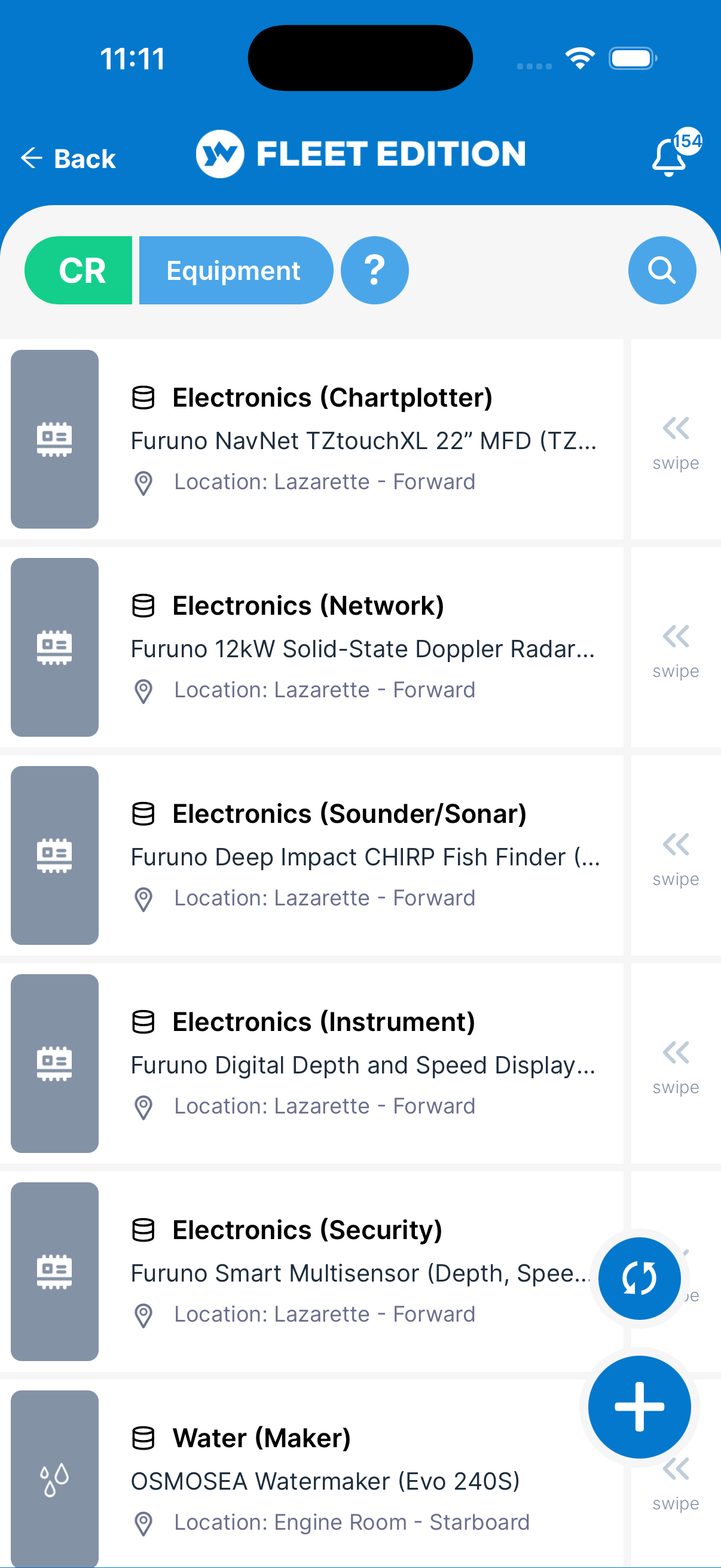
- Equipment tile — One per item: type, manufacturer and model, and location. Tap to open the detail hub.
- Search — Searches model, manufacturer, type, location and position.
- + button (lower right) — Add a new Equipment item.
- Deployed / Undeployed (in detail) — Whether the item is currently installed/in use, or in storage. Choosing Deployed shows the Installed date; choosing Undeployed clears it. Spare gear (e.g. a backup EPIRB in a hatch) can stay in your records marked Undeployed.
- Swipe a tile left — Delete (with a confirmation).
How to Add an Equipment Item
- Tap the + button on the Equipment list.
- Pick the Type (Electronics, Plumbing, Safety, Deck Gear, Appliance, etc.).
- Pick the Manufacturer from the list, or use “Other” if it isn’t listed. Type the Model.
- Pick the Location on the vessel, and enter the Position and Serial if you have them.
- Choose Deployed if the item is currently in use and set the Installed date, or Undeployed if it’s a spare or in storage.
- Tap Add, then add any Documents (manual, warranty) and an initial Service Schedule if the item has periodic inspection or replacement requirements.
How to Add One from the Catalog Instead
If your plan includes it, the + button offers two choices instead of going straight to a blank form:
- Catalog — pick the manufacturer and model from our reference library and we fill in the specifications for you.
- Custom — the manual add described above, unchanged.
Records that came from the Catalog show a small database icon in front of their name on the list, and a band across the top of the detail screen. Everything the Catalog fills in stays editable. Full instructions are in The YACHTWAVE Catalog.
Tips
- Attach the manual. A PDF of the installation/owner’s manual on the Documents tab is dockside gold when something fails and you need wiring diagrams.
- Use the Deployed switch for spares. Keeping a backup EPIRB or spare bilge pump in your records marked Undeployed means you have an inventory of spares without polluting your “what’s currently installed” view.
- Calendar-based Service Schedules are your friend. USCG inspection items (EPIRBs, flares, fire extinguishers) all have inspection/replacement intervals — set them up once and YACHTWAVE will remind you in time to act.
- Bulk-add Equipment using the web version. Typing 40 items on a phone is painful; the web version has full keyboard and copy-paste.
Troubleshooting
- “This item has an hour meter — should it be Equipment?” — No, put hour-metered items in Mechanical so you can use hour-based service schedules. Equipment is calendar-only.
- “I want a service schedule by hours.” — Equipment only supports calendar-based schedules (days/weeks/months/years). If your item has an hour meter, add it as a Mechanical item instead.
- “My manufacturer isn’t in the list.” — Pick “Other (Not Listed)” for now (or “Other (Unknown)” if you don’t know the maker), or email
[email protected]to have it added. (The model is typed in, so any model works.) The picker is curated so the AI Mechanic® can give brand-specific advice — see Mechanical FAQ for the full reason. - “My Equipment item is in storage and I don’t want reminders for it.” — Set it to Undeployed or delete its Service Schedule items. Reminders only fire for equipment that is deployed and has an install date.
- “YACHTWAVE says my service schedule can’t count down.” — Calendar schedules count from the Installed date. Set the item to Deployed and enter the date.
Frequently Asked
What's the difference between Equipment and Mechanical?
Mechanical = items with hour meters (engines, generators, transmissions, watermakers — anything serviced by usage hours). Equipment = everything else installed or carried on the vessel (electronics, plumbing, anchors, safety gear, appliances). Both support maintenance logs and service schedules; only Mechanical supports hours-based intervals.
What's the difference between Equipment and Inventory?
Equipment is installed assets — things that live on the boat. Inventory is for consumables — oil, filters, fluids, cleaning supplies, spare parts that get used up. A spare EPIRB is Equipment (marked Undeployed). The cans of oil for the EPIRB battery aren't — those are Inventory.
What does "Deployed" mean?
Whether the item is currently installed and in use. A spare EPIRB in storage stays in your Equipment list but marked Undeployed, with no install date. Items that aren't deployed don't generate service reminders.
Can I move Equipment between yachts?
Each Equipment entry belongs to one specific yacht. If you physically move the item, add it on the new yacht (and delete it from the old one, or keep it for history if you prefer).
Why is YACHTWAVE asking me to pick a manufacturer instead of typing one?
Structured pickers feed accurate brand-specific data to the AI Mechanic®. Free-form text doesn't. If your brand isn't on the list, "Other" is fine for now — and you can email [email protected] to get the brand added. The model is always typed in.
See Also
- Mechanical — the hour-metered counterpart to Equipment.
- Service Schedules — calendar-based intervals attached to each Equipment item.
- Maintenance Logs — service history for each Equipment item.
- Documents — for boat-wide documents not tied to a specific item.
- Inventory — for the consumables that maintain your equipment.
- The YACHTWAVE Catalog — add a known make and model without typing in the specifications.