
What is this? A built-in AI assistant tuned for boat-maintenance questions. Ask it about your engine, your equipment, a symptom you can’t diagnose, a procedure you can’t remember — it draws on the structured data you’ve entered about your boat to give you a focused answer.
The Basics
YACHTWAVE’s AI Mechanic® is an in-app assistant designed specifically for boat-maintenance questions. Unlike a generic chatbot, it knows what’s actually on your boat — your engines, your equipment, the manufacturers and models you’ve entered — and uses that context when answering.
A typical question might be:
- “My starboard engine is running 50°F hotter than the port. What should I check?”
- “What’s the recommended interval for changing impellers on the watermaker?”
- “What torque spec for the head bolts on my Yanmar 4JH80?”
- “How long can I run on emergency battery before the bilge pump trips?”
The AI picks up the specifics from your Mechanical / Equipment entries, so it can give answers grounded in your boat, not a generic one. For a question about the boat as a whole, choose Vessel instead of a single item. Along with the item, the AI Mechanic® also reads the boat’s documents and notes, and its recent maintenance history. For an item added from the YACHTWAVE Catalog, it also searches the manufacturer’s manuals.
Key Things on This Screen
- Step 1: Equipment / Mechanical / Vessel — Pick whether you’re asking about other gear (Equipment), an engine or generator (Mechanical), or the boat as a whole (Vessel).
- Boat — Pick which boat you’re asking about. If you have only one boat, it’s filled in for you.
- Item picker — For Equipment or Mechanical, which specific item the question is about. It’s hidden for Vessel.
- Step 3: Note — Type your question. Plain English. Specific is better than vague.
- Basic / Advanced badge — At the top of the screen once a boat is chosen. It shows the AI Mechanic level that boat’s plan includes; it isn’t a switch.
- RESET — Clears the form so you can start over.
- REQUEST — Sends the question. You’re asked to Agree to the AI Mechanic® disclaimer first.
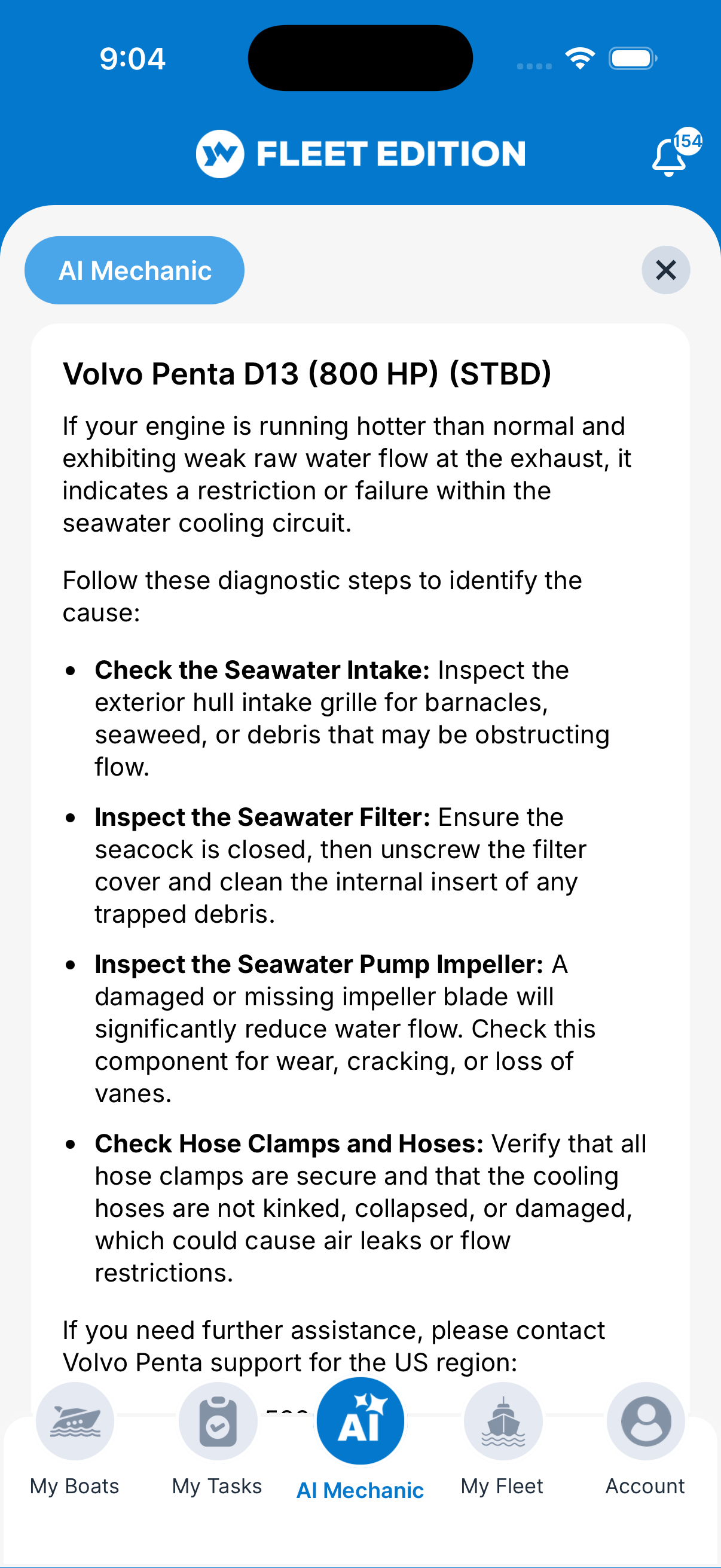
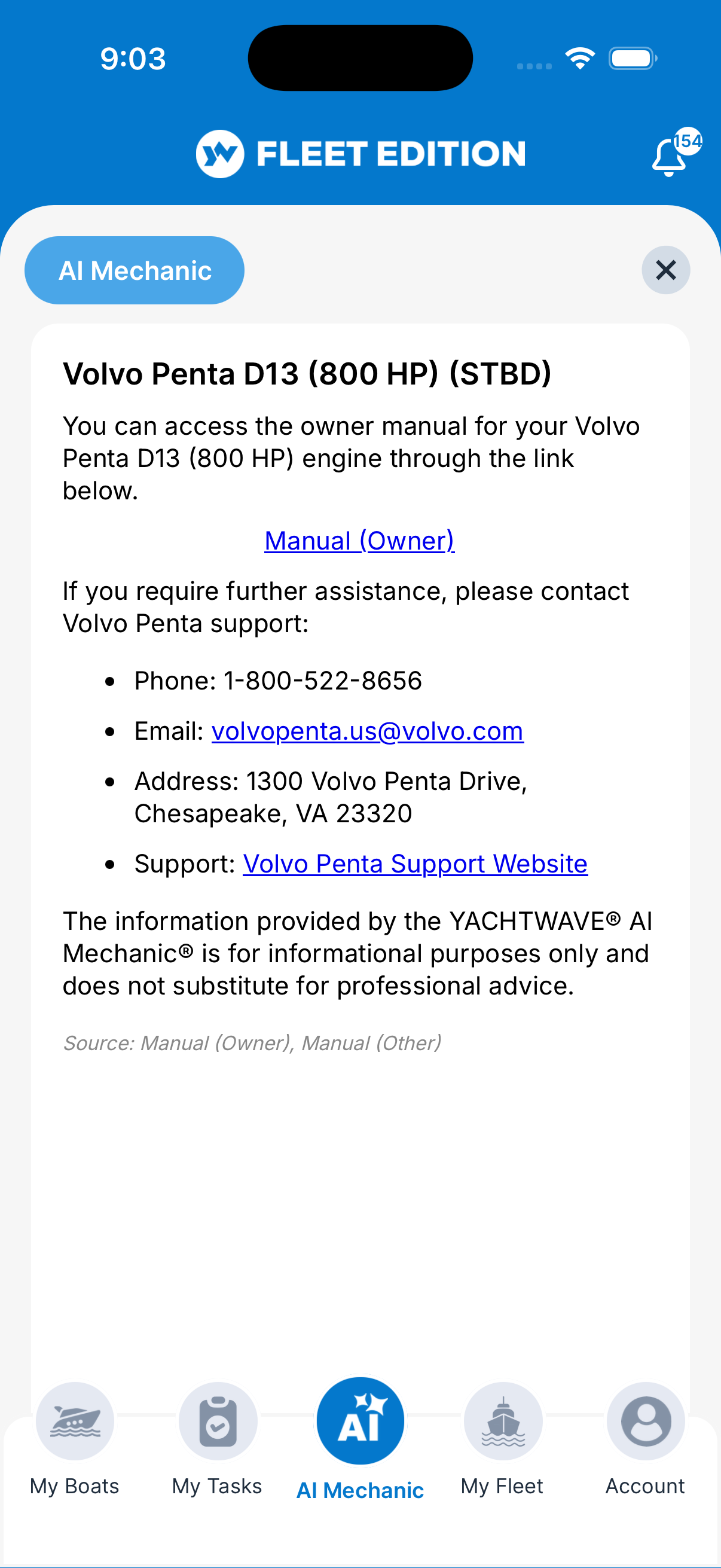
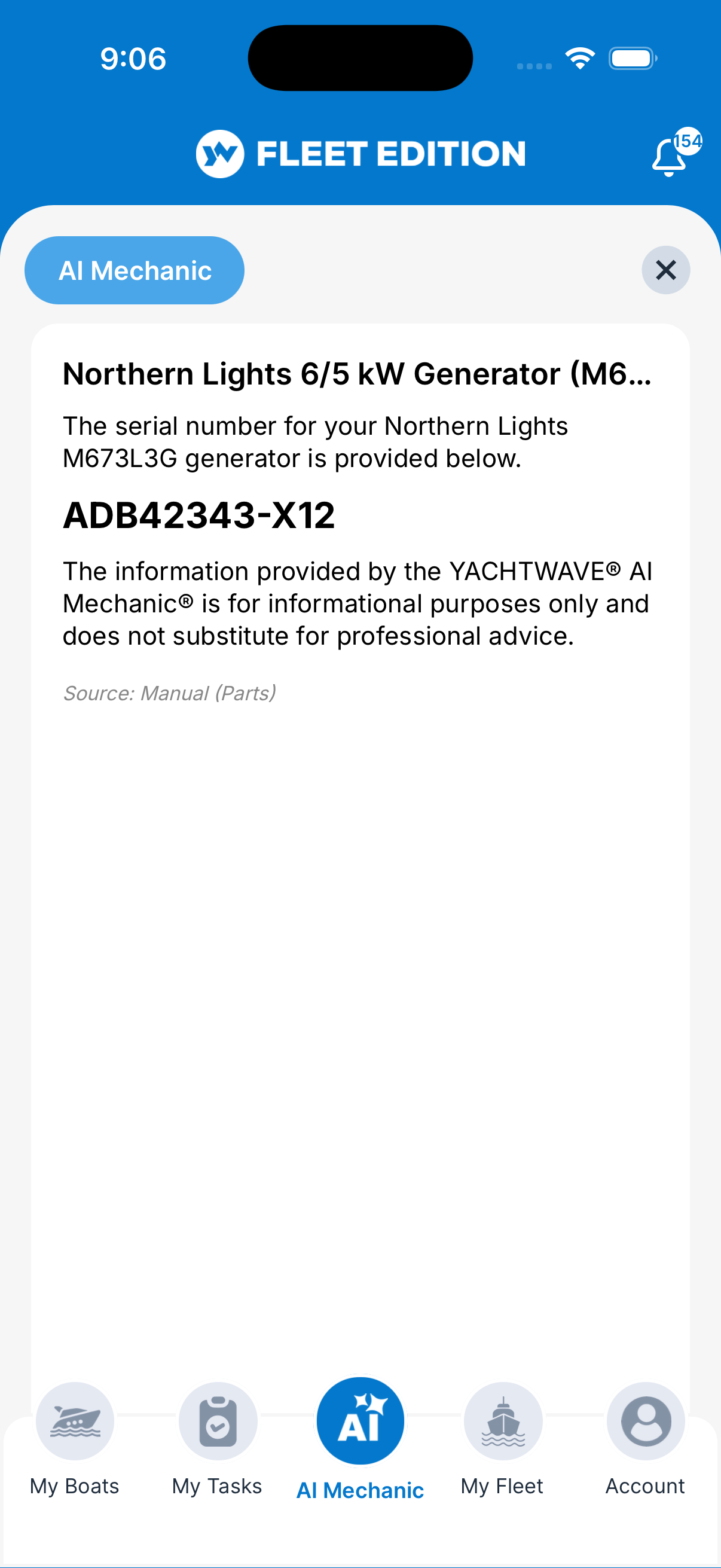
- Results screen — The AI’s reply, formatted with sections and lists. Close it to go back to the form.
How to Ask the AI
- On the AI Mechanic screen, under Step 1, tap Equipment, Mechanical, or Vessel.
- Under Step 2, pick the Boat, then (for Equipment or Mechanical) the item.
- Under Step 3, type your question in the Note box. Be specific: - Too vague: “Engine problem” - Better: “Port engine has a slight oil sheen on the dipstick when running but no visible leak — what should I check?”
- Tap REQUEST, then Agree on the disclaimer.
- Wait a moment (a few seconds usually) for the answer to appear on the Results screen.
- Read the answer. There’s no follow-up box — to ask more, close the results and send a new, more detailed question.
Tips
- The AI is only as good as the data you’ve entered. A boat with the manufacturer, model, year, and current hours filled in gets dramatically better answers than a boat with mostly blank fields. Filling in Mechanical and Equipment details pays off here.
- Be specific. Symptom + when it happens + what you’ve already tried gets a much better answer than a one-line question. Treat it like asking a knowledgeable friend dockside.
- Check the AI’s reasoning against your manuals. The AI is helpful but not infallible — for safety-critical work, verify against the manufacturer’s documentation (which you’ve ideally attached to the item in Documents).
- It learns nothing about you that it didn’t already see. Each question is fresh — no memory of previous conversations. So include context in each question.
- Save answers you want to keep. The app has no history screen for past answers, so copy anything useful into a Note or a Maintenance Log.
Troubleshooting
- “The AI gave me an answer that doesn’t match my boat.” — Confirm the Item you selected is the right one. The AI uses the manufacturer/model picked from your Mechanical or Equipment entries — if the entry is wrong, the answer will be too. Also check that the entry has the manufacturer and model filled in.
- “My specific manufacturer isn’t recognized.” — The pickers are curated to provide accurate data to the AI. If your manufacturer isn’t on the list, the AI falls back to generic advice. Email
[email protected]to have your manufacturer added — usually same day. - “The AI is slow or timing out.” — Check your network. The AI request goes out to the cloud and needs a connection; on a weak dockside cellular signal, it can take longer. If you see “We did not receive a response from the AI Mechanic,” try again on a stronger connection.
- “I don’t see my boat in the list.” — Only boats with an active YACHTWAVE plan appear.
- “I asked a question and got an unhelpful answer.” — Try again with more context. Include the symptom, when it started, conditions when it happens, anything you’ve already done. The AI does much better with concrete details.
Frequently Asked
Is my conversation with the AI private?
To write the answer, YACHTWAVE sends your question and the boat information it needs, including the boat's documents and notes, to an outside AI service (Google Gemini). YACHTWAVE doesn't save the question or the answer, and there's no screen for looking back at earlier answers, so save anything you want to keep.
Can the AI fix my problem?
No — it diagnoses, suggests, and explains. The wrenching is still on you (or a real mechanic). It's a knowledgeable assistant, not a remote technician.
Why does YACHTWAVE use pickers instead of free-form text for manufacturer/model?
Because the AI needs structured data. Selecting "Yanmar 4JH80" carries verified specs about that engine. Typing "yanmar 4jh80" doesn't carry anything — and inconsistent typing ("Yanmer", "4jh80a", "yanmar 4 cyl") prevents the AI from giving accurate, brand-specific answers. If your model isn't on the list, "Other" works in a pinch and the team can add it on request.
Will the AI ever break my equipment?
It can't directly — it only gives advice. But following bad advice can. Treat the AI's answers like advice from a knowledgeable friend: useful, but verify before acting on anything safety-critical.
Is the AI included in the free version?
Yes — the AI Mechanic® is part of the free Personal edition. The badge at the top of the screen shows whether a boat gets the Basic or Advanced level.
See Also
- Mechanical — fill in your engines so the AI can answer specifically about them.
- Equipment — same, for the non-hour-metered gear.
- Maintenance Logs — record what you did after the AI helped you figure it out.
- Documents — attach manuals to your engines/equipment so you can cross-check the AI’s advice quickly.